
AI Tattoo Generator for Collarbone Tattoos: Design Ink That Frames Your Neckline
How an AI tattoo generator handles collarbone tattoos — choosing between a straight line along the bone, a centered piece, and a design that sweeps toward the shoulder, then previewing it on yourself before you book.
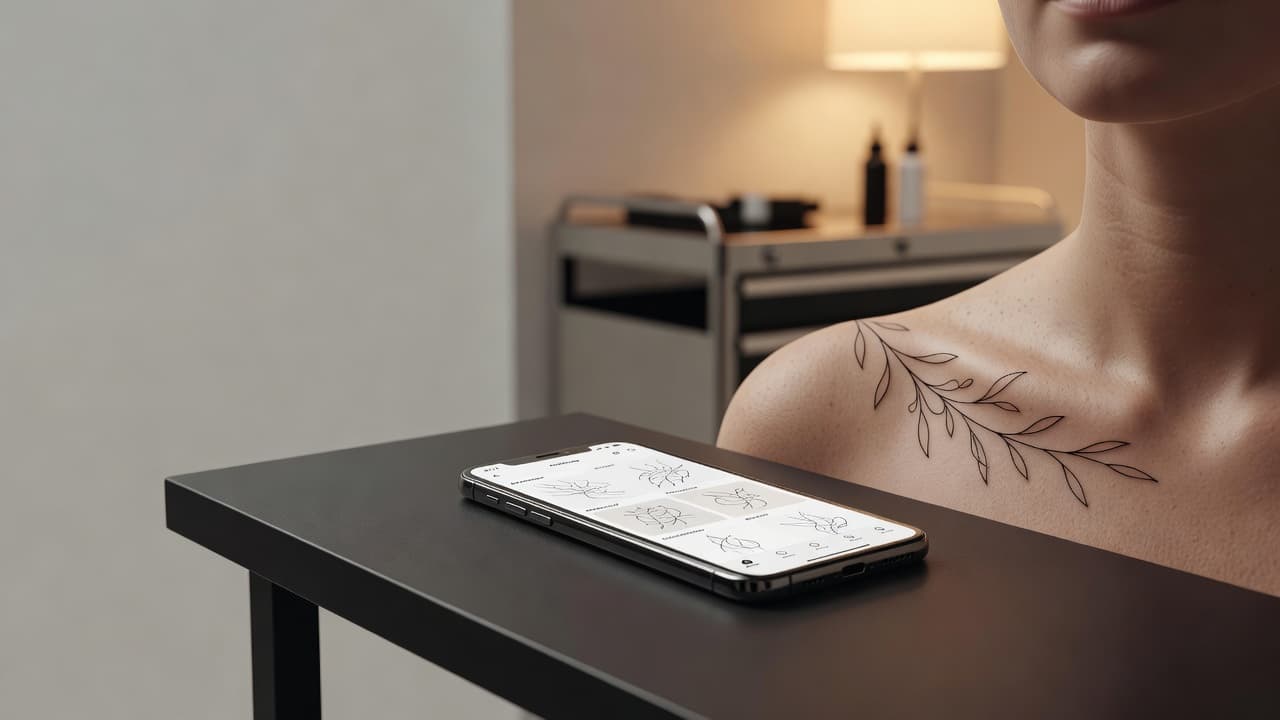
The collarbone is one of the most elegant places for a tattoo: a long, straight line of bone that frames the neckline, shows with a scoop neck and disappears under a collar. An AI tattoo generator for collarbone tattoos lets you test an idea on that narrow strip before you book — describe a design, decide whether it runs along the bone, sits at the center or sweeps toward the shoulder, and see whether it still looks balanced once it is lined up with your own body.
In short: designing a collarbone tattoo with AI means choosing the placement first — along the bone, centered, or sweeping toward the shoulder — and then prompting for a long, slim composition instead of a square illustration. This guide covers how AI handles collarbone designs, how to prompt for them, which styles work, what to expect for pain and healing, and how to preview the result on yourself.
What Is an AI Tattoo Generator for Collarbone Tattoos? (Quick Answer)
An AI tattoo generator for collarbone tattoos is an AI tool used to design pieces shaped for the collarbone's long, narrow strip. You describe your idea or upload a reference photo, the AI composes a slim design that suits a line along the bone, a centered spot or a sweep toward the shoulder, and you can preview how it sits on your body before choosing a size or position.
Why the Collarbone Is a Popular Tattoo Placement
The collarbone appeals for a clear reason: it is a naturally defined line that gives a design a built-in guide. A delicate vine, a short word or a row of tiny symbols follows the bone like jewelry, and the placement is easy to show with a V-neck or cover with a shirt. It also pairs well with other pieces, such as a neck or chest design.
It is also a placement where proportions matter. The area is narrow, the bone sits close to the surface, and the skin moves with your shoulders and arms. A design that looks perfect on a wide phone screen can feel too long or too heavy once it sits on a slim strip. If you are still comparing spots, our guide to the best tattoo placements lays out the main options, and the AI tattoo generator for chest tattoos covers the area just below.
How Does an AI Tattoo Generator Handle Collarbone Tattoos?
An AI generator renders artwork from your description or a photo, and for the collarbone the most useful details are length and direction. Phrases like "slim fine-line vine running along the collarbone," "small star cluster at the center of the collarbone," or "short script word following the bone" steer the AI toward a long, narrow composition instead of a generic square.
In INK you can describe the idea in plain language, start from a text prompt, or upload a reference and refine it. Generate several versions, compare how each one fits the strip, and keep the one that suits the bone. Because a collarbone design reads differently once it sits on a real body, checking it against your own collarbone matters. For a neighboring placement, see our guide to the AI tattoo generator for neck tattoos.
How to Prompt an AI Tattoo Generator for a Collarbone Tattoo
A few habits separate a design that follows the collarbone from one that is simply pasted onto it:
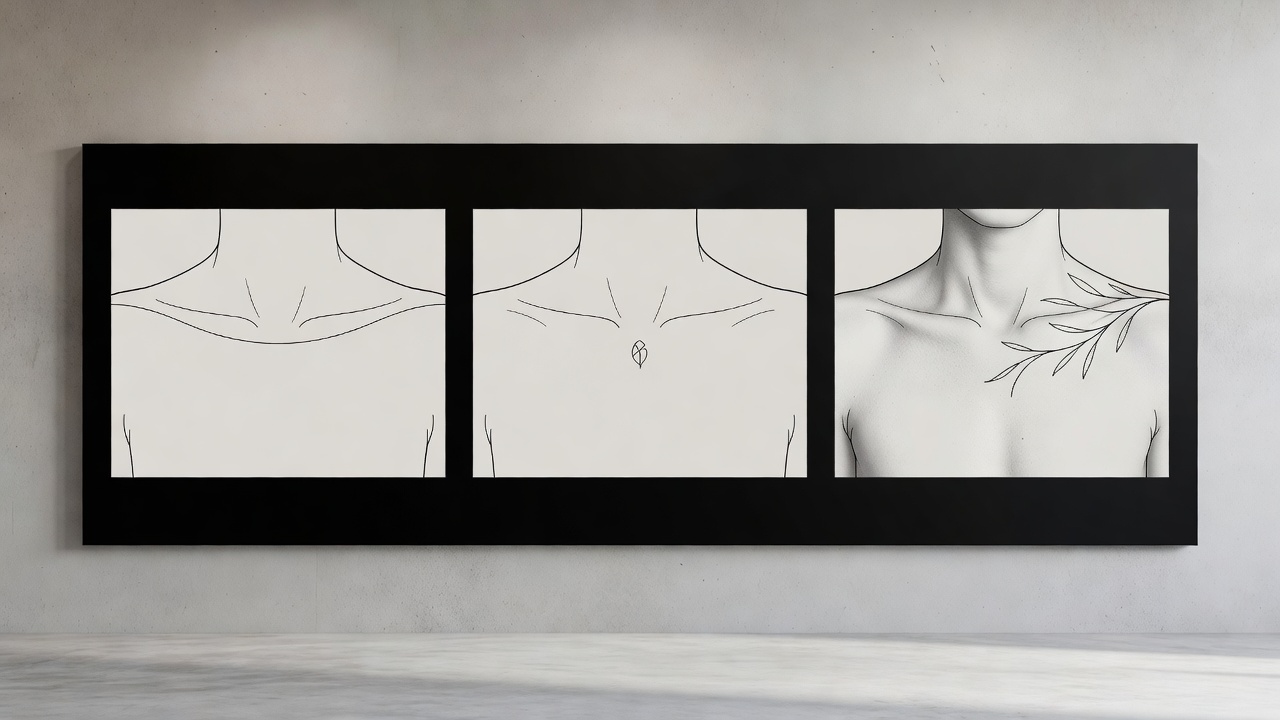
- Pick the placement first. Tell the AI whether the piece runs along the bone, sits at the center, or sweeps toward the shoulder, and on which side.
- Ask for a long, slim shape. Words like "narrow," "horizontal," "following the collarbone" or "single line" keep the composition from turning square.
- Choose a style. Fine-line, botanical, script, minimalist or ornamental styles all work; naming one keeps the result consistent.
- Set the line weight. Ask for fine, even lines for a delicate look, or slightly bolder lines if you want the design to stay crisp over the years.
- Generate three or four variations. Compare them side by side and refine the one with the best balance.
If you have a rough drawing, our guide to turning a sketch into a tattoo design shows how to refine it step by step.
Along the Bone, Centered, or Sweeping: Choosing a Placement
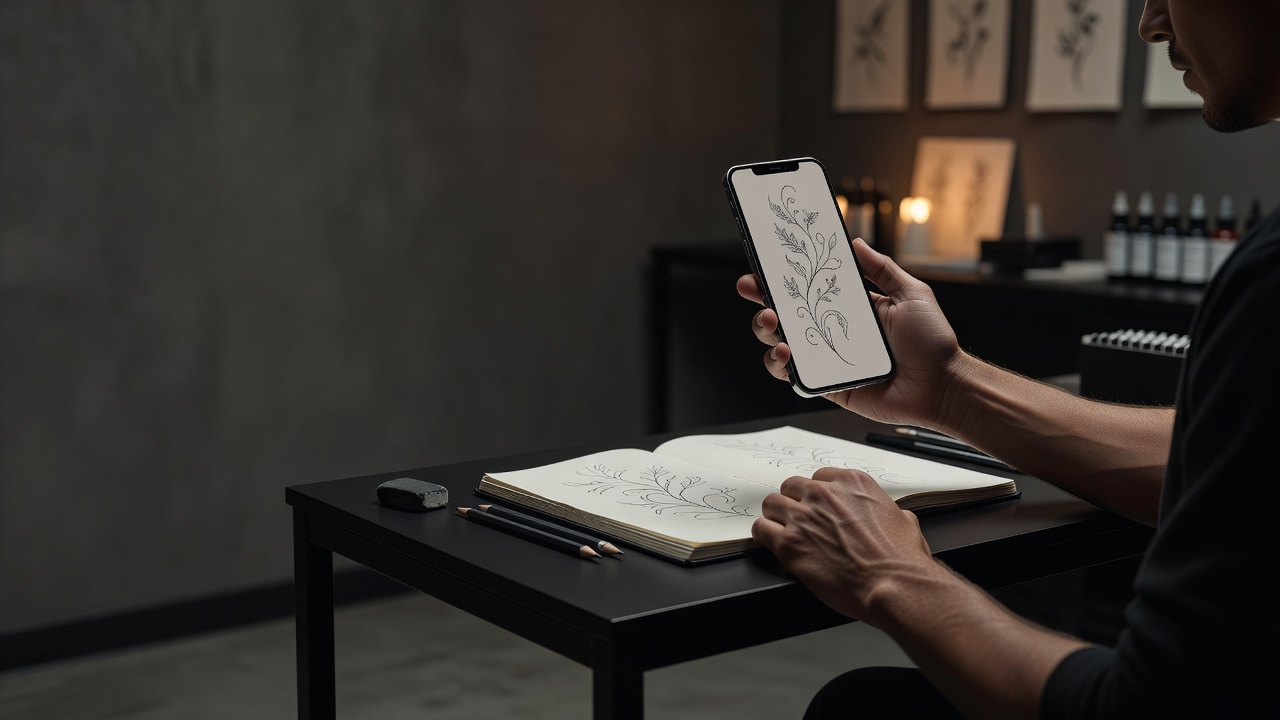
The biggest decision for a collarbone tattoo is how it sits on the bone. The common approaches:
- Along the bone. A line that follows the collarbone from near the center outward. It suits vines, short sentences and rows of tiny symbols.
- Centered on one side. A compact piece placed midway along the bone, such as a small floral or symbol, which stays subtle and easy to cover.
- Sweeping toward the shoulder. A design that starts at the collarbone and flows over the front of the shoulder, ideal for branches and blossoms.
- Matching pair. Two mirrored pieces, one on each side, for a symmetrical look.
- Under the collarbone. A piece that sits just below the bone on the upper chest, which gives you a little more height to work with.
Each option shifts what the AI should draw, so name the placement in your prompt and generate a version for two or three of them before deciding.
Styles and Designs That Work Well on the Collarbone
- Fine-line botanicals. Vines, olive branches and wildflower stems follow the bone naturally; the fine-line tattoo guide explains what lasts and what softens over time.
- Script and short words. A single word or short phrase in slim lettering runs neatly along the bone.
- Minimalist symbols. A row of tiny stars, moons or dots works well; see our minimalist tattoo ideas for inspiration.
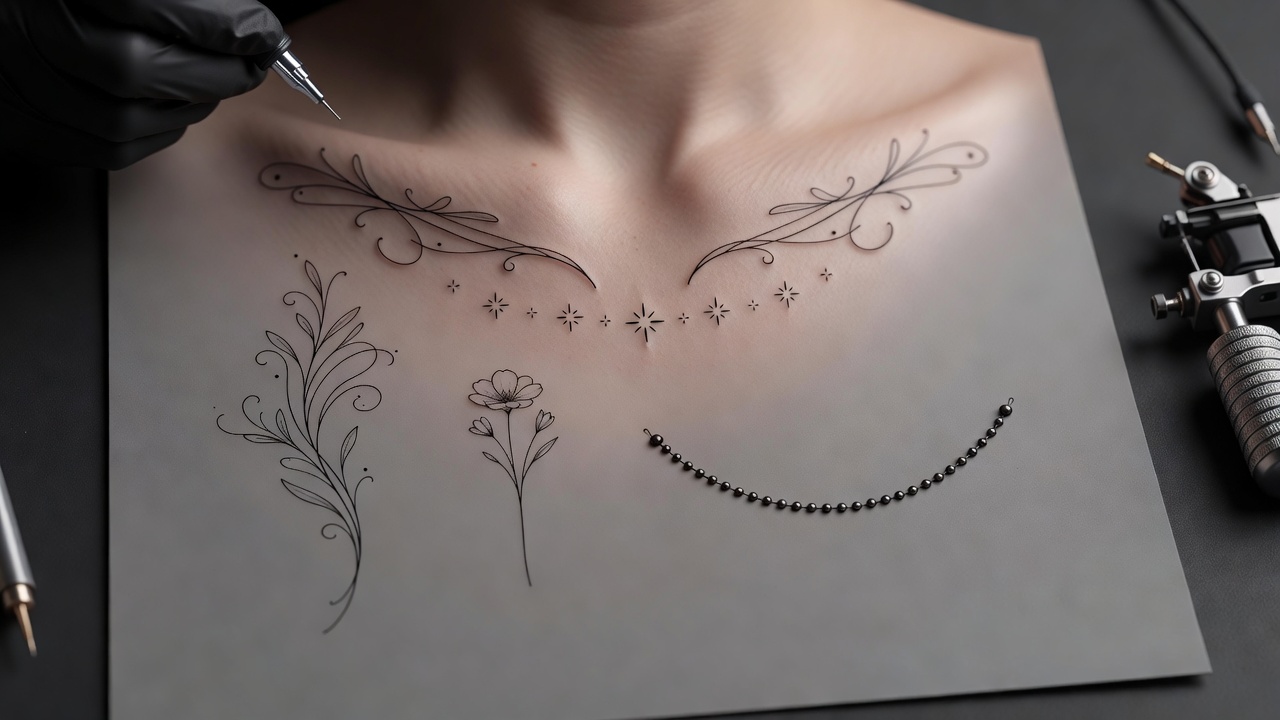
- Ornamental lines. Delicate patterns and beaded chains echo jewelry and suit the narrow strip.
- Small meaningful motifs. Birds, feathers and tiny hearts can sit at the center; browse our small tattoo ideas to compare.
How Big Should a Collarbone Tattoo Be?
Size depends on the layout. As a rough guide, a centered symbol is often about 2 to 5 cm, a line along the bone commonly runs 8 to 15 cm, and a design that sweeps to the shoulder can extend 15 to 20 cm. Because the collarbone is narrow, a design that is slightly thinner than you first imagine often looks more elegant than one that fills the whole strip.
An AI preview helps you check proportions on your own body so you can choose a size with confidence before the stencil goes on.
Common Collarbone Tattoo Mistakes a Generator Helps You Avoid
- Designing too tall. A square illustration can look stiff on a narrow strip; asking for a long, slim shape avoids it.
- Ignoring movement. The skin shifts when you raise your arms, so very fine details can distort. Previewing the design in different poses helps.
- Too much detail at a small size. Tiny elements can blur over time; fewer, clearer shapes age better.
- Forgetting straps and collars. Bag straps, bra straps and tight collars can rub a fresh tattoo, so think about where fabric falls when choosing the exact spot.
Do Collarbone Tattoos Hurt, and How Do They Heal?
Pain varies from person to person, but the collarbone is commonly described as moderately to highly painful because the skin is thin and sits directly over bone. The outer part near the shoulder is usually easier to sit through than the center. Our tattoo pain chart compares placements across the body.
Healing needs a little planning. Straps and collars can rub the area, so choose soft, loose clothing while it heals. Follow our tattoo aftercare guide and your artist's advice, keep the area clean, and avoid soaking it. For general safety information, see the FDA's guidance on tattoo safety.
Previewing a Collarbone Design on Your Own Body
Because the collarbone is narrow and its shape differs from person to person, checking how a design sits on your own body is worth a few minutes. A vine that looks balanced on a screen can feel too long, too low or off-center on a real collarbone. Using AR try-on lets you check scale, angle and balance early; our guide to tattoo try-on technology explains how the preview works. For anatomy background, see the clavicle article on Wikipedia.
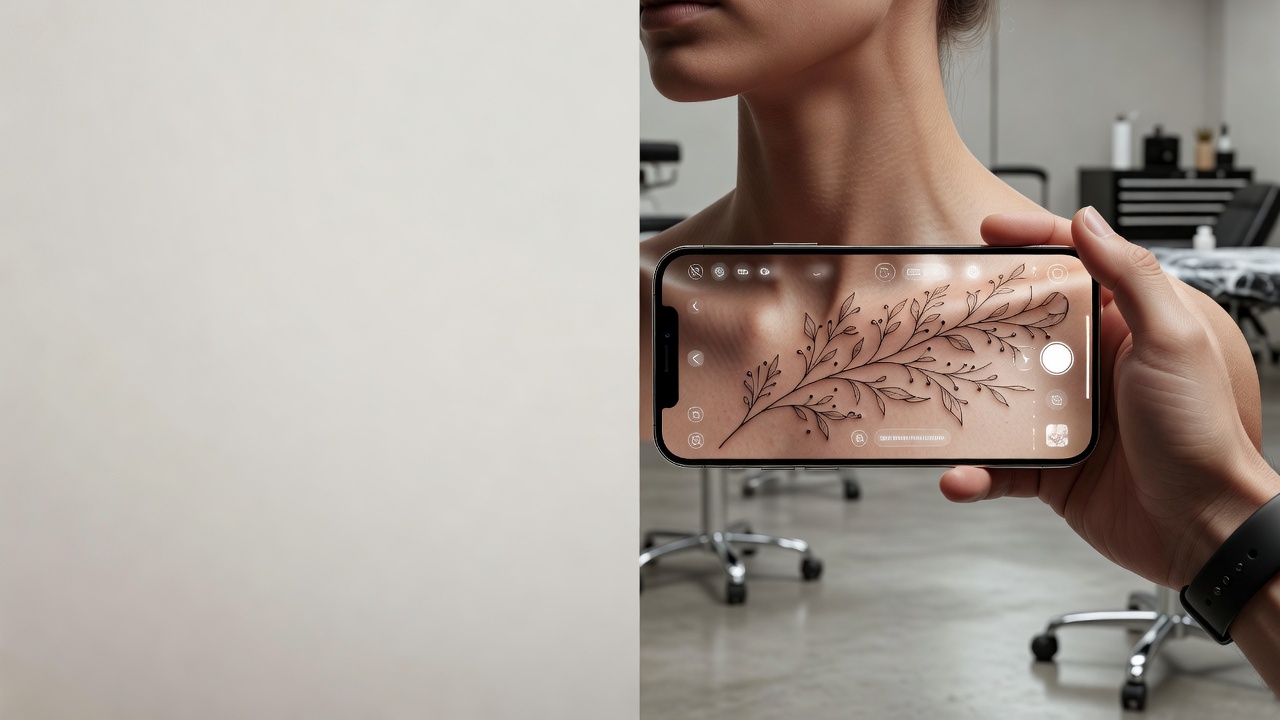
From AI Design to a Real Collarbone Tattoo
Once you have a design you like, bring a high-resolution export to your artist and talk through placement, size and how the piece should follow your bone. Many artists will place a stencil so you can check it standing, with your arms raised and in a mirror before the first line. Even small, fine pieces take skill, so see how much tattoos cost to plan ahead.
The Final Word
An AI tattoo generator for collarbone tattoos will not replace an artist's hand, but it settles the questions that matter most for this placement: which layout suits the design, whether it fits the narrow strip, and how it looks on you. Decide the placement first, prompt for a long, slim shape, and preview the result before you commit.
Design Your Collarbone Tattoo Free in INK
Describe your idea, choose a placement, and preview it on your own body before you ink. No sign-up needed.
Try INK Free →

Create Your Perfect Tattoo Design
Use AI to generate unique tattoo designs and preview them on your body before committing to ink.
Start Designing for FreeWritten by
INK Team