
AI Tattoo Maker: Design Custom Ink From a Prompt or Photo
How an AI tattoo maker works — turning a typed prompt or an uploaded photo into custom, tattoo-ready artwork, choosing a style, previewing it on your body, and exporting a clean reference for your artist.

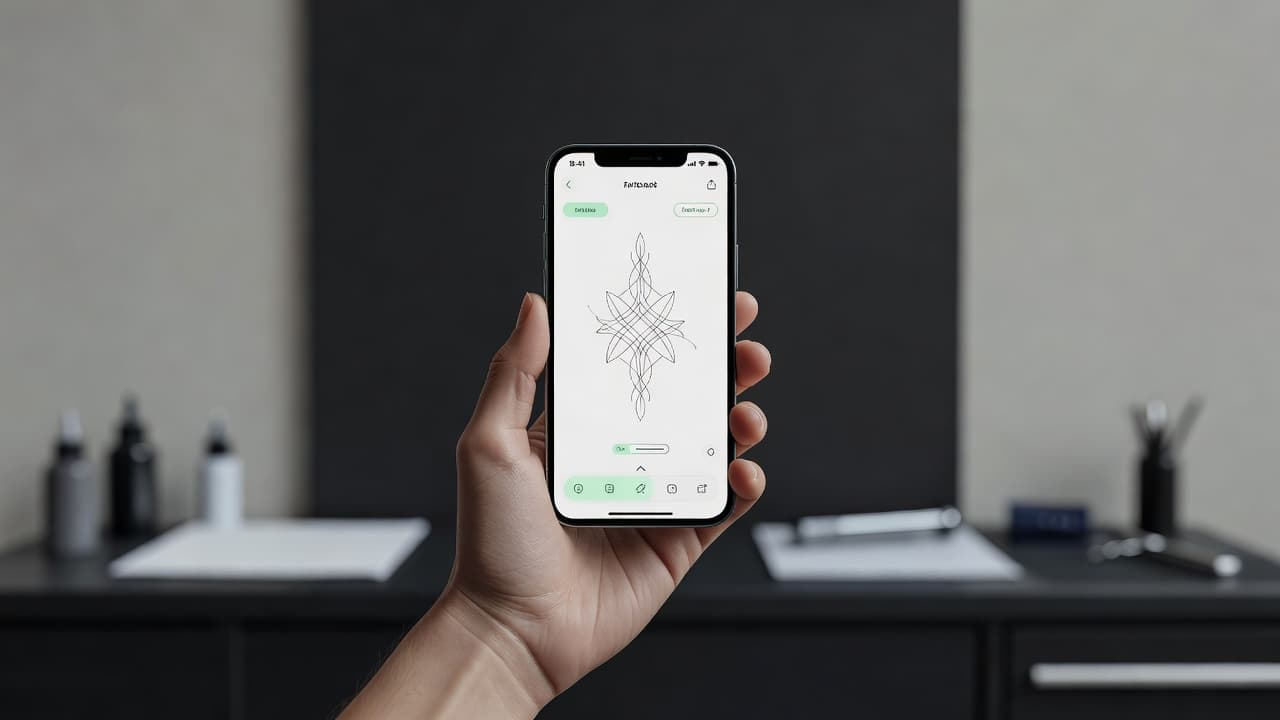
Not long ago, getting a custom tattoo meant describing a picture in your head to someone else and hoping the sketch that came back matched it. An AI tattoo maker flips that around: you describe the idea — or upload a photo — and watch it become finished, tattoo-ready artwork in seconds, then refine and preview it on your own body before an artist ever picks up a machine.
In short: an AI tattoo maker turns a typed prompt or an uploaded image into custom tattoo designs using artificial intelligence. You pick a style, generate variations, refine the one you love, and use AR try-on to see it on your skin — all before you commit. This guide explains how an AI tattoo maker actually works, what you can create with it, whether it is free, and how to take a design from screen to skin.
What Is an AI Tattoo Maker?
An AI tattoo maker is a tool that creates custom tattoo artwork for you from a simple input. Instead of hunting through flash sheets or waiting days for a consultation sketch, you supply the idea and the tool produces the art. You can type a description in plain language, upload a reference photo, or both — and the AI renders polished, tattoo-ready designs you can shape until they are exactly what you pictured.
That is a real shift from how custom tattoos used to begin. The traditional path was to find an artist, book a consultation, and trust that your verbal description survived the trip into someone else's imagination. An AI tattoo maker reverses the order: you reach the idea first, see it rendered, and refine it until it matches your vision — so when you finally sit down with an artist, you are both looking at the same picture. Tattooing itself is an ancient craft with thousands of years of history; the only new part is how quickly you can now visualize an idea. If you are new to the whole process, our first tattoo guide is a good companion read.
How Does an AI Tattoo Maker Work?
The process is fast and forgiving. You can run through it as many times as you like before deciding on anything, which is the whole point — exploration is free, and only the final ink is permanent.
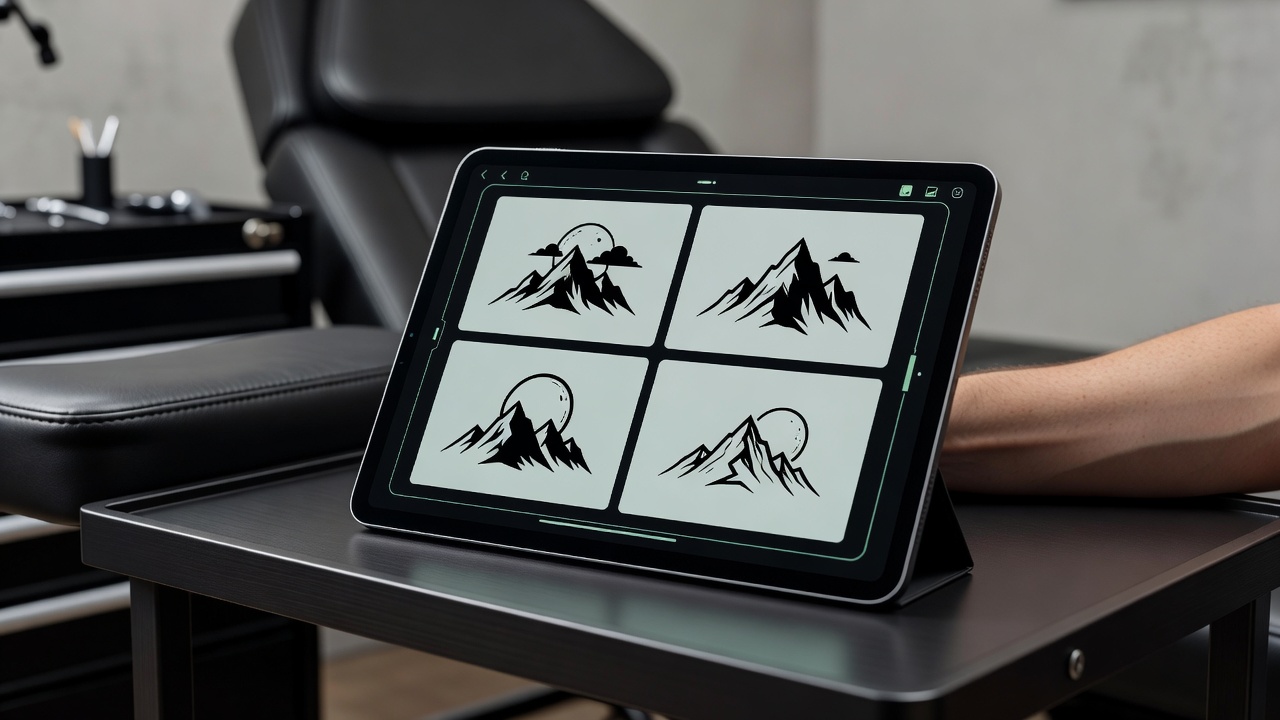
- Describe or upload your idea. Type a short prompt — "a fine-line mountain range with a crescent moon" — or upload a photo to work from. The clearer your subject, mood, and must-have elements, the closer the first results land.
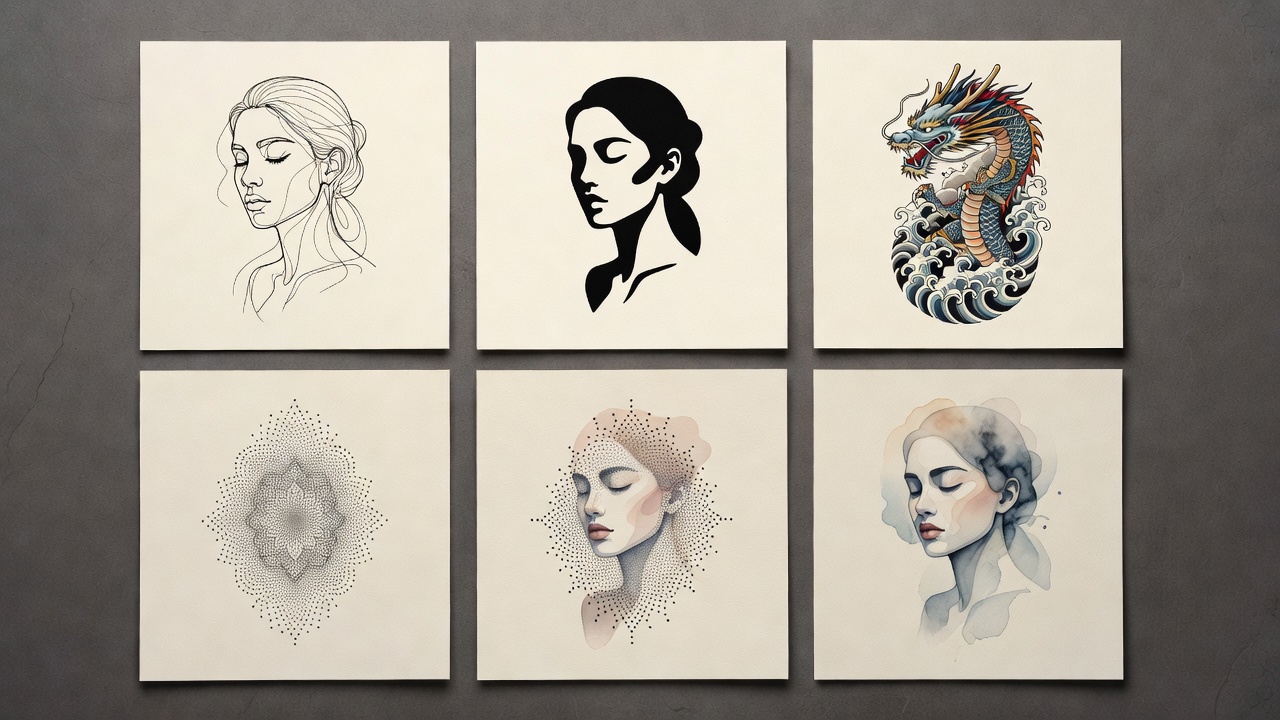
- Choose a style. Select a direction: fine-line, blackwork, Japanese, geometric, watercolor, realism, or minimalist. Style sets the entire mood, so it is worth trying several.
- Generate and refine. The AI renders several designs. If the composition is off, adjust the prompt or swap the style and regenerate. Each pass costs nothing but a few seconds.
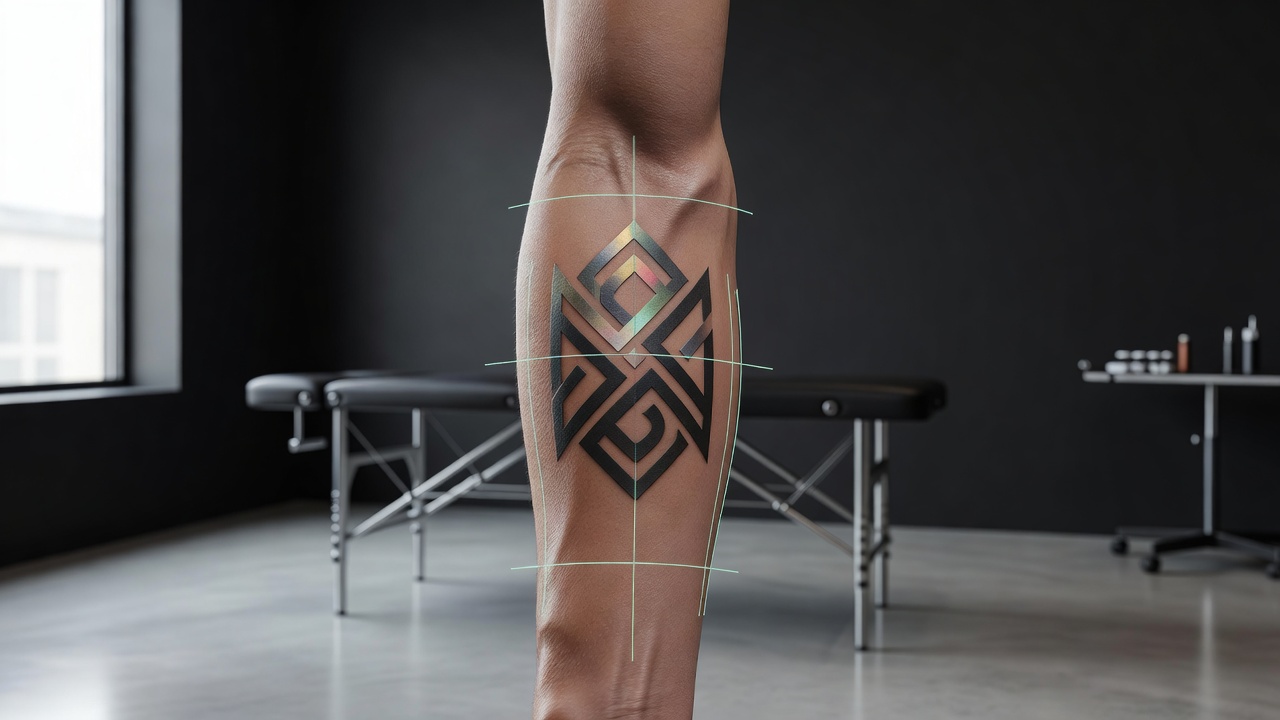
- Preview on your body. Use AR try-on to place the design at real scale on your forearm, ribs, or wherever you are considering. This is where sizing and placement problems reveal themselves.
- Export for your artist. Download a clean, high-resolution version as a reference and stencil starting point.
Under the hood, the two main inputs work differently. A text prompt is interpreted by an AI tattoo generator from text, which converts language into imagery. Uploading a picture uses an AI tattoo generator from photo, which reinterprets your image as tattoo-style linework and shading rather than copying it flat. Most people mix both — start from a photo, then steer it with words.
What Can You Make With an AI Tattoo Maker?
Almost anything you can describe. Because style is just another setting, the same idea can be rendered a dozen ways until one fits. These are the directions people reach for most.
Fine-Line & Minimalist
Delicate single-weight linework and small, clean symbols. This is the modern default for wrists, collarbones, and ankles, and it pairs naturally with our minimalist tattoo ideas. An AI tattoo maker is great here because subtle spacing and line-weight choices are easy to compare side by side.
Blackwork & Geometric
Bold, high-contrast, and architectural. Blackwork holds up beautifully over the years because the strokes are thick, and geometric patterns let the AI play with symmetry and negative space. Both suit the forearm, chest, and back where lines need room to breathe.
Japanese & Realism
Rich, narrative pieces — dragons, koi, waves, or lifelike portraits. These styles reward larger placements and careful composition, which is exactly where generating and comparing full layouts first pays off before you commit hours in the chair.
Lettering & Photo-Based
Names, dates, and quotes, or a design built from a photo of a loved one, a pet, or a place. Type the words or upload the image, choose how literal you want the result, and the maker renders a tattoo-ready interpretation you can refine.
Is an AI Tattoo Maker Free?
Yes — making and exploring designs is free in INK. You can describe or upload as many ideas as you want, generate unlimited variations, switch styles, and preview the results on your body without paying anything. There is no sign-up wall between you and your first design. The only paid step is optional: downloading high-resolution, stencil-ready files to hand to your artist.
That structure matters because the most valuable part of an AI tattoo maker is the freedom to experiment. Getting a tattoo is permanent; changing your mind should not cost anything. Free, unlimited generation means you can chase a half-formed idea through twenty versions until it clicks, rather than settling on the first thing that is merely "good enough."
The point of an AI tattoo maker is not to replace your artist — it is to make sure you walk into the studio knowing exactly what you want, so nothing gets lost in translation.
AI Tattoo Maker vs. the Traditional Design Process
Both routes end at a great tattoo, but they get there differently. Here is how the two compare on the things that actually matter when you are planning a piece.
| Step | Traditional Route | With an AI Tattoo Maker |
|---|---|---|
| First concept | Verbal brief or mood board | Rendered artwork in seconds |
| Iterations | Limited, often paid consultation time | Unlimited and free |
| Seeing it on your body | Imagination, or a temporary stencil at the studio | AR try-on at real scale, anytime |
| Cost to explore | Time and sometimes deposits | Free until you export |
The AI maker is not a substitute for a skilled artist's judgment about how a design will sit on your anatomy and age over decades. What it does is compress the slowest, most uncertain part — landing on the idea — into minutes, so your consultation starts from a clear picture instead of a blank page. Curious how the tool stacks up against a human hand? We cover that directly in AI vs. human tattoo artists.
Tips for Better Results
A few small habits dramatically improve what an AI tattoo maker gives you.
- Be specific about subject and mood. "A wolf" is vague; "a fine-line wolf howling at a crescent moon, minimal shading" gives the AI something to aim at.
- Change one thing at a time. If a design is close, tweak a single element — style, size, or a detail — rather than rewriting the whole prompt.
- Generate for the placement. A design that looks great as a square image may not flow along a forearm. Preview early so the shape suits the spot.
- Keep fine detail realistic. Very thin lines and tiny text can blur as ink settles. Give elements room, especially at small sizes.
- Save your favorites. Keep a shortlist of two or three directions to discuss with your artist rather than one locked-in file.
From Screen to Skin
Once you have a design you love, the last mile is collaboration. Export a high-resolution version and bring it to your artist as a reference — not as a demand to trace, but as a clear brief. A good artist will adapt the linework to your body, refine the weights so the piece ages well, and prepare a proper stencil. Because you have already previewed the design with AI tattoo try-on, the size and placement conversation is grounded in something you can both see.
This is where the whole workflow proves its worth. The AI maker removes the guesswork from the idea, AR removes the guesswork from the placement, and your artist brings the craft that turns a great image into a great tattoo. Everyone is aligned from the first minute of the appointment.
Why Make Your Tattoo With INK
INK brings the whole process into one place: describe or upload an idea, generate custom designs across every major style, refine until it is right, and AR-preview the finished piece on your own body at real scale — all before you book. Exploration is free and unlimited; you only pay if you want stencil-ready exports for your artist. It works on iOS, Android, and the web, so you can start on your phone and pick up on a laptop. If you want the step-by-step version, our guide on how to use an AI tattoo generator walks through a full project.
The Final Word
An AI tattoo maker gives you something tattooing never really offered before: room to see your idea, sit with it, and get it exactly right before it becomes permanent. Describe it or upload it, try every style, preview it on your skin, and walk into the studio certain. The permanence of ink is the whole point of a tattoo — an AI tattoo maker just makes sure that what becomes permanent is precisely what you meant.
Make Your Tattoo Design Free
Describe an idea or upload a photo, explore every style, and preview your design on your body — all in INK. No sign-up needed.
Try INK Free →

Create Your Perfect Tattoo Design
Use AI to generate unique tattoo designs and preview them on your body before committing to ink.
Start Designing for FreeWritten by

Laura Schmitz
Tattoo Content Lead, INK
Laura Schmitz leads tattoo content at INK. She has spent years researching tattoo styles, symbolism and aftercare, and works directly with the AI tattoo generator to test how each style translates from prompt to skin — so every guide here reflects designs that are actually tattooable, not just images that look good on screen.
More about the author