
Japanese AI Tattoo Generator: Design Irezumi-Style Art
How a Japanese AI tattoo generator renders Irezumi motifs like dragons, koi, and waves — what the AI gets right, where cultural nuance still needs a human eye, and how to prompt it for authentic-feeling results.

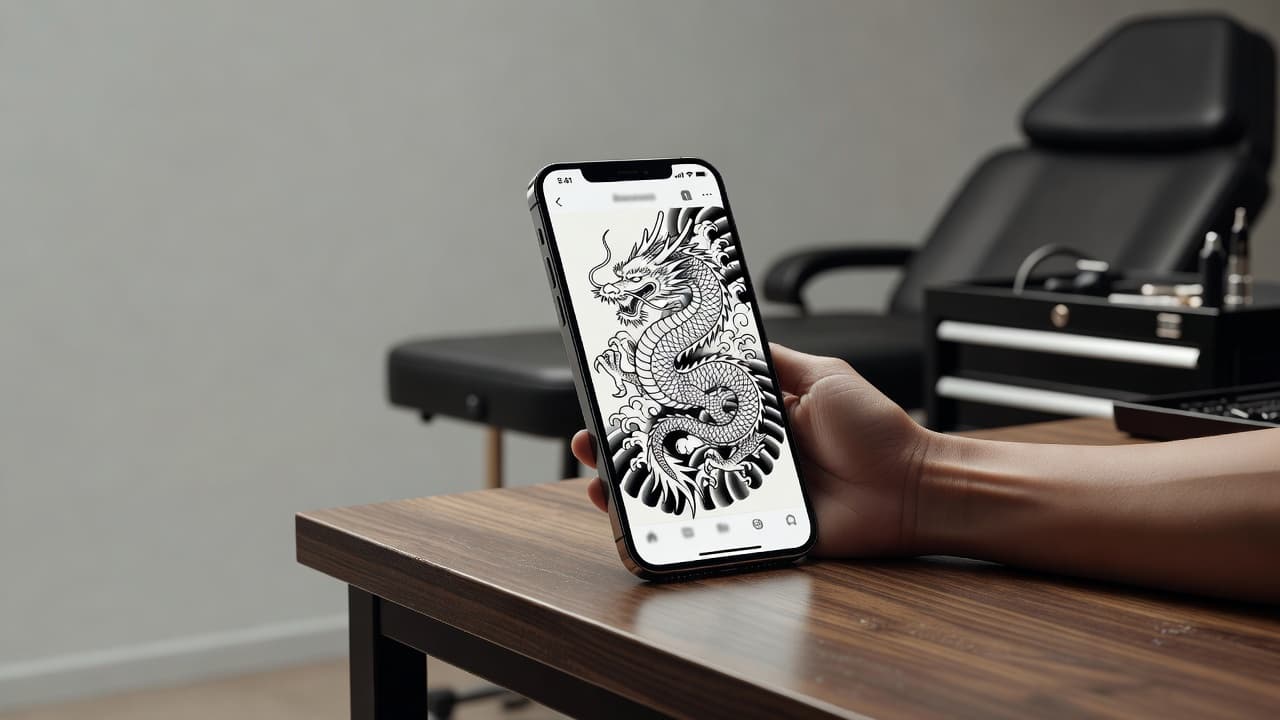
Japanese tattooing is one of the most demanding styles to design well — it isn't just a single image, it's a composition, built from a main subject, supporting background elements, and a sense of flow that follows the body. A Japanese AI tattoo generator gives you a fast way to explore that composition before committing to ink: describe a dragon, a koi fish, or a wave motif, and see bold, Irezumi-inspired linework rendered in seconds instead of sketching each element by hand.
In short: a Japanese AI tattoo generator is an AI tattoo tool set to the Irezumi style — dragons, koi, waves, cherry blossoms, and similar traditional subjects, arranged with the flowing, connected composition the style is known for. You describe or upload a reference, select the Japanese style, and the AI produces artwork you can refine and preview on your own body before you ever book an appointment. This guide covers how these generators actually render Japanese style, where AI is strong and where it still needs a careful, culturally aware eye, and how to prompt one for results that feel authentic rather than generic.
What Is Japanese Tattooing?
Japanese tattooing, known as Irezumi, is a centuries-old tradition built around bold outlines, saturated color or striking blackwork, and a defined set of recurring subjects: dragons, koi fish, tigers, snakes, cherry blossoms, and foo dogs, each carrying its own symbolism. What sets the style apart from most Western tattooing is composition — individual motifs are rarely left to float alone on skin. They're connected by background elements like wind bars, waves, or clouds, so a full sleeve or back piece reads as one continuous scene rather than a collection of separate images. For a deeper breakdown of the tradition's history and motifs, our Japanese tattoo style guide covers it in depth, and our Japanese tattoo meaning guide breaks down what each motif traditionally represents; this piece focuses specifically on generating Japanese-style designs with AI.
How Does a Japanese AI Tattoo Generator Work?
Under the hood, an AI tattoo generator renders an image from your description or reference photo, and selecting the Japanese or Irezumi style tells the model to favor bold outlines, traditional color palettes (or strong blackwork), and the classic subject library the style is built on. The main subject can vary widely — a dragon coiling around a shoulder, a koi swimming upstream, a tiger emerging from bamboo — but the underlying instruction stays the same: render it with the linework and composition conventions of Japanese tattoo art rather than a generic illustrative style.
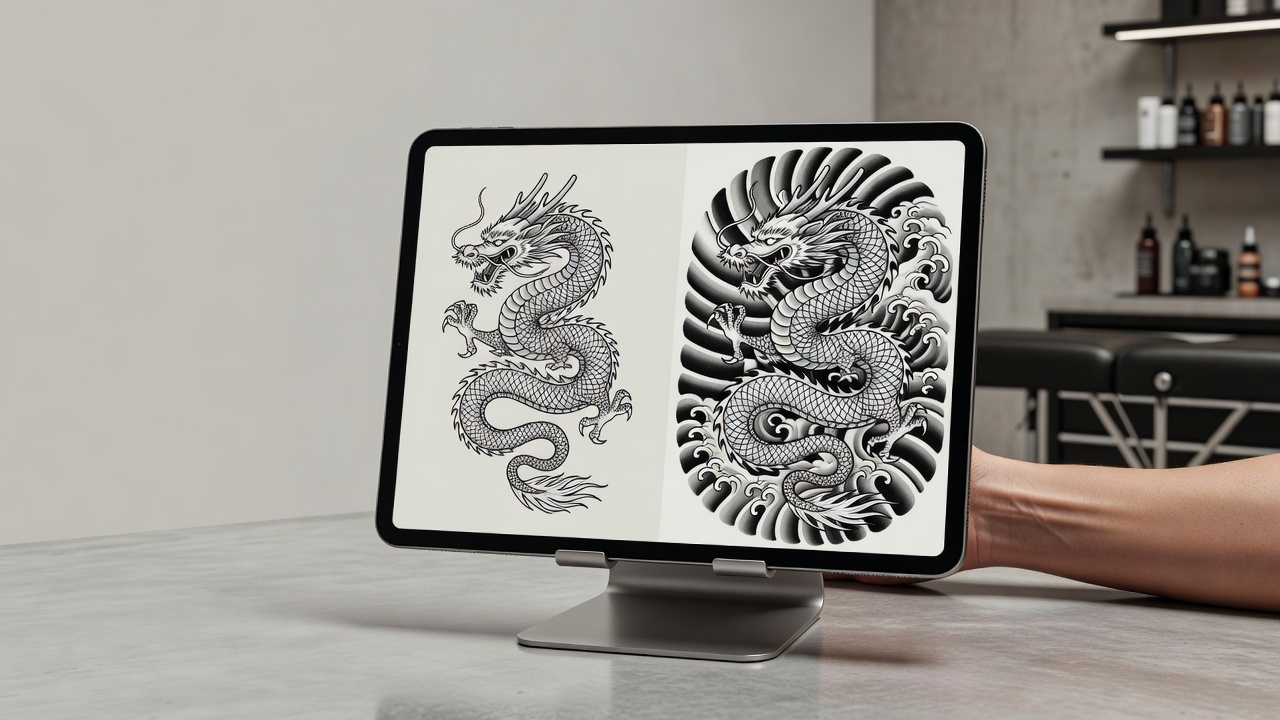
In INK, you can generate the same subject from a typed prompt or an uploaded reference photo, pick the Japanese style from the options, and compare several variations side by side. Because Irezumi depends so heavily on how a main motif relates to its background, it's worth generating a few versions and paying attention not just to the subject itself but to whether the AI has tied it into waves, clouds, or wind bars — that connective tissue is what separates a design that reads as authentically Japanese from one that just happens to feature a dragon.
Is AI Actually Good at Japanese Tattoo Designs?
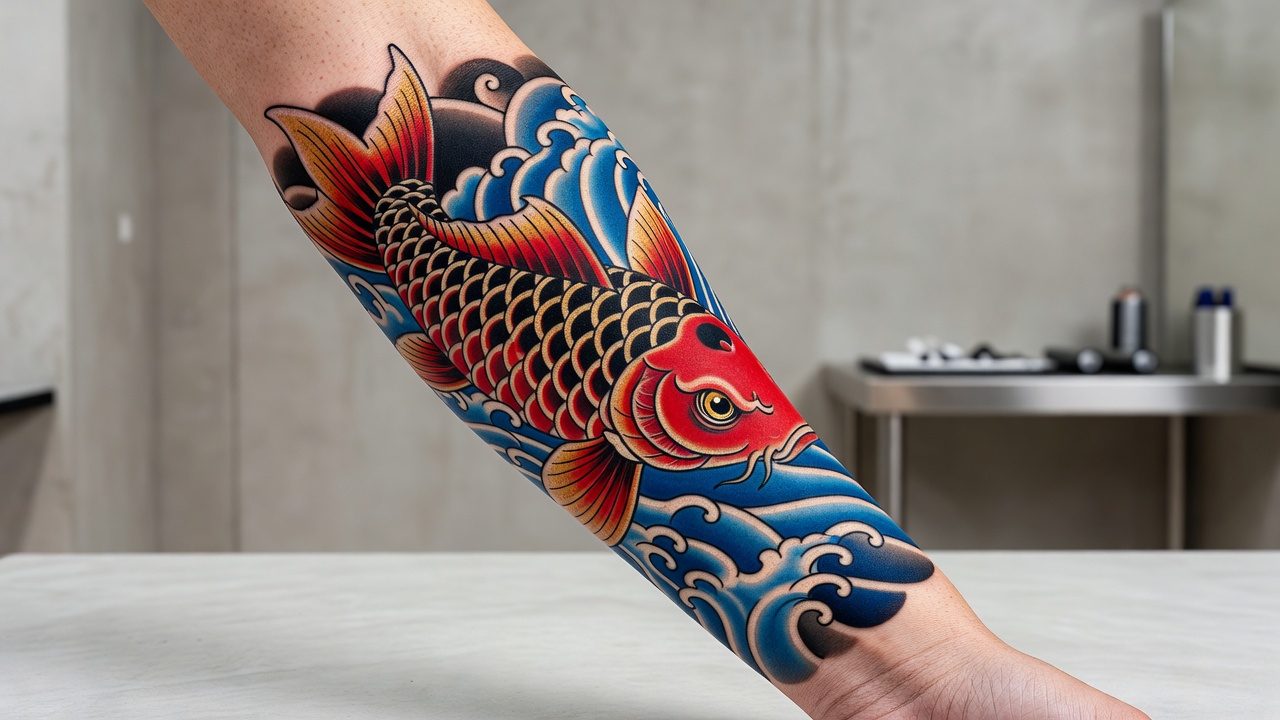
AI handles the individual motifs of Japanese tattooing well. Dragons, koi, tigers, and florals are common, well-documented subjects, and AI models are generally good at rendering them with confident linework, appropriate shading, and traditional color choices when you name the style explicitly. If you're testing what a dragon or a wave motif could look like on its own, an AI generator gets you there quickly.
The harder part is composition at the scale Irezumi is traditionally practiced at. A full Japanese sleeve or back piece isn't one image — it's a planned sequence of motifs, backgrounds, and negative space designed to flow with the body as a single, cohesive work, often built up over multiple sessions with an artist who's mapping out how everything connects. An AI generator working on a single design will give you a strong version of one motif or one scene, but it isn't planning a multi-session body suit the way a specialist in the style would. That planning — how a dragon on the shoulder should flow into waves down the arm, or how negative space should be left to let the design breathe — is where an experienced Irezumi artist's judgment still matters most.
It also helps to compare Japanese style against something like geometric tattooing, which AI renders very consistently because the underlying instruction — stay symmetrical, keep spacing even — is concrete and structural. Japanese style asks for something harder to pin down: an aesthetic sensibility shaped by centuries of convention. AI can approximate that sensibility convincingly for a single motif, but the cultural and compositional depth of the tradition is something a generator gives you a starting point for, not a finished, expert-level replacement of.
How to Prompt an AI Tattoo Generator for Japanese Results
A few habits make the difference between a Japanese-style prompt that comes back feeling connected and one that comes back as a motif floating on blank skin:
- Pick a main subject first. Dragon, koi, tiger, snake, or foo dog — starting from a clear central motif gives the AI something to build a composition around.
- Name the style directly. Say "Japanese," "Irezumi," or "Japanese traditional" so the AI applies the right linework, color palette, and composition conventions.
- Ask for supporting background elements. Mention "wind bars," "waves," or "cherry blossoms" so the subject is tied into a scene instead of left isolated.
- Generate multiple variations. Produce 3–5 versions of the same subject; how the AI balances motif and background can shift noticeably between generations.
- Edit instead of restarting. If the background feels disconnected from the main subject, use an AI tattoo editor to adjust that part rather than regenerating the whole piece.
Japanese Tattoo Motifs Worth Trying
Certain subjects have carried consistent meaning in Japanese tattooing for centuries, which makes them especially rewarding to explore with AI since you can generate several interpretations quickly and compare which one fits the meaning you're after. Motifs worth trying include:
- Dragons (Ryū). Unlike Western dragons, Japanese dragons are protective and wise — read more in our dragon tattoo meaning guide.
- Koi fish. A symbol of perseverance, especially when swimming upstream against the current — our koi fish tattoo meaning guide breaks down the full symbolism.
- Waves and water. Often used as the connective background element that ties an entire composition together.
- Cherry blossoms (Sakura). Representing life's fleeting beauty, frequently paired with larger central motifs.
- Foo dogs (Komainu). Guardian figures symbolizing protection, traditionally depicted in pairs.
Designing with Cultural Respect
Japanese tattooing carries real cultural weight, and that's worth keeping in mind even when a design starts as an AI experiment. Before finalizing anything, it's worth researching the specific meaning behind the motifs you're drawn to, since symbols like the dragon or the koi carry different connotations depending on how they're combined and posed. Working with an artist who has real training in the Japanese tradition — not just someone who can copy the visual style — is the best way to make sure the finished piece respects the conventions it's drawing from rather than flattening them into surface-level decoration.
Previewing Japanese Tattoo Placement Before You Commit
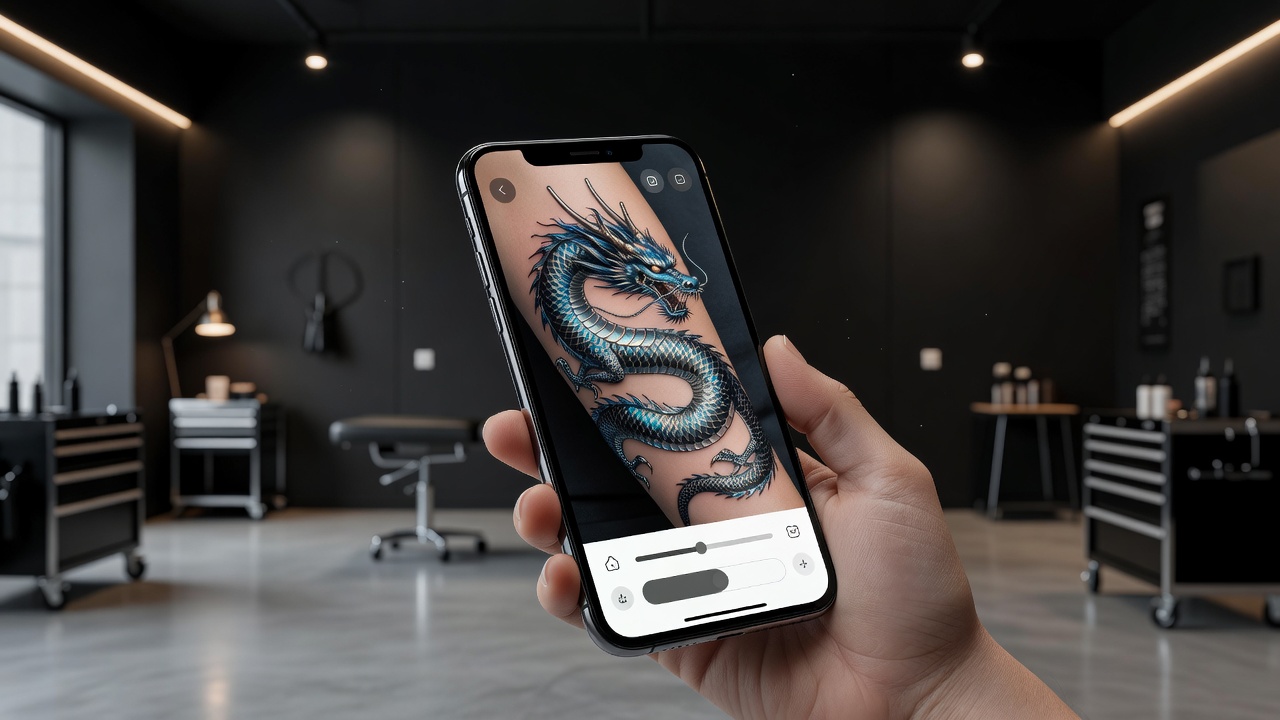
Because Japanese designs are meant to flow with the body rather than sit as an isolated image, previewing placement matters even more here than for most styles. A dragon that looks well-composed on a flat screen needs to be checked against how it will actually wrap around a shoulder, run down a forearm, or spread across a back, since the whole point of Irezumi composition is that it works with the body's shape rather than ignoring it. Using AR try-on to place the generated design directly on your body — at the real size and angle you're considering — helps you judge whether the flow actually holds up before you're sitting in a tattoo chair.
From AI Design to a Real Japanese Tattoo
Once you have a Japanese-style design you're happy with, the next step is finding an artist with genuine experience in Irezumi or Japanese traditional work, since this is a style where technique, composition planning, and cultural understanding all matter as much as raw linework skill. Bring a high-resolution export of your AI-generated design as a starting reference — it gives you and the artist a concrete shared visual to discuss, which is especially useful for a style with as many specific conventions as this one.
Expect a real conversation about how the piece will grow: many Japanese tattoos, especially sleeves and back pieces, are planned and built up over multiple sessions, with the artist adjusting your AI reference to fit the larger composition as it develops. That collaborative planning is exactly the part an AI generator can't replace — it's a strong way to explore a starting idea, not a substitute for an artist who understands how the finished piece needs to move with your body.
Does Japanese Tattoo Aftercare Need Special Care?
Japanese tattoos generally follow the same core aftercare guidance as any other tattoo — keeping the area clean, moisturized, and protected from the sun during healing — but larger pieces like sleeves and back suits mean more healing surface area and, often, multiple sessions layered over time. Because bold color and solid blackwork are common in this style, sun protection matters even more once healed, since UV exposure fades saturated color and softens crisp outlines faster than it does more muted palettes. For a full walkthrough of the healing process, see our tattoo aftercare guide.
The Final Word
A Japanese AI tattoo generator won't replace the training and cultural understanding of a specialist in Irezumi work, but it will get you to a strong starting motif far faster than sketching dragons and waves by hand. Pick a main subject, name the style explicitly, ask for supporting background elements, and preview how the composition flows on your body before you bring the design to an artist who can plan the full piece with you.
Generate Your Japanese Tattoo Free in INK
Describe your idea, pick the Japanese style, and preview the design on your body before you ink. No sign-up needed.
Try INK Free →

Create Your Perfect Tattoo Design
Use AI to generate unique tattoo designs and preview them on your body before committing to ink.
Start Designing for FreeWritten by

Laura Schmitz
Tattoo Content Lead, INK
Laura Schmitz leads tattoo content at INK. She has spent years researching tattoo styles, symbolism and aftercare, and works directly with the AI tattoo generator to test how each style translates from prompt to skin — so every guide here reflects designs that are actually tattooable, not just images that look good on screen.
More about the author