
Biomechanical AI Tattoo Generator: Design Sci-Fi Skin-Tech Art
How a biomechanical AI tattoo generator renders mechanical parts fused with skin — pistons, gears, cables and armor plating — what it handles well, where a human artist still matters, and how to prompt it for a design that actually looks engineered.

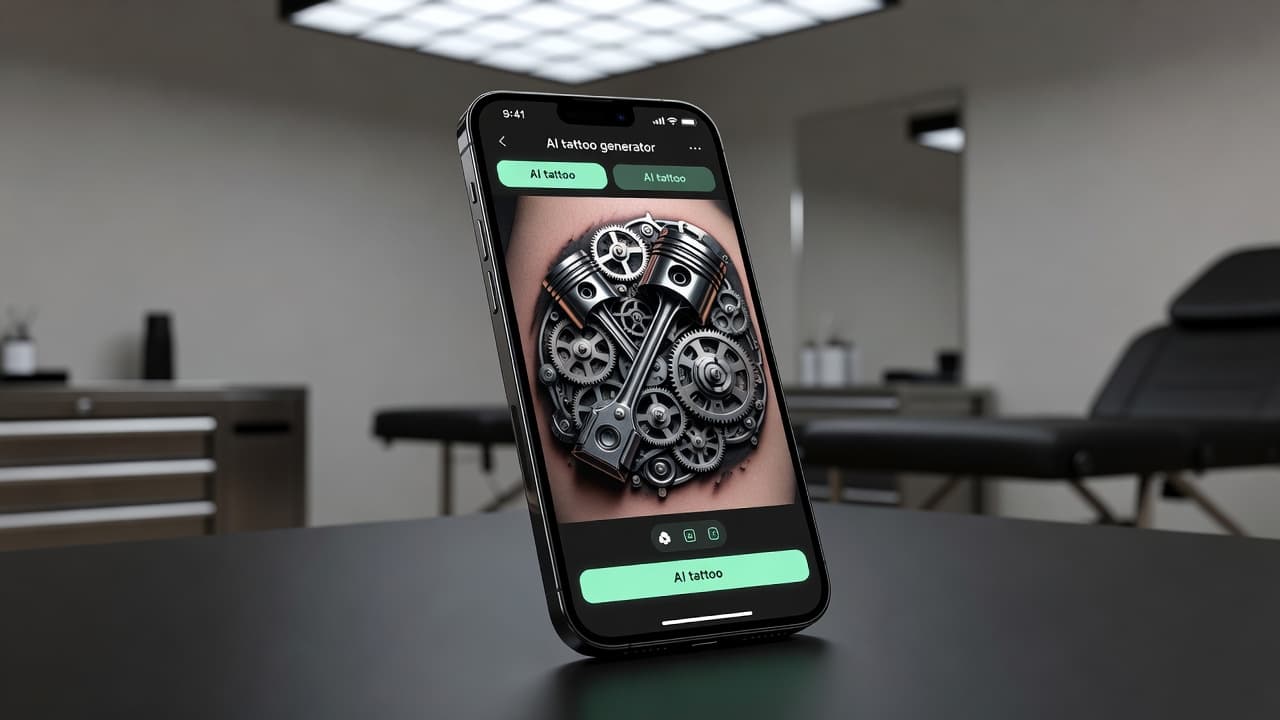
Biomechanical tattoos ask for something no other style does: they need to look like they belong under the skin, not on top of it. A biomechanical AI tattoo generator lets you test that illusion before committing to a chair — describe which gears, pistons or hydraulic joints should break through your arm, and see a technically coherent result in seconds instead of hand-drawing chrome highlights and mechanical logic from scratch.
In short: a biomechanical AI tattoo generator is an AI tattoo tool set to render mechanical parts fused with or torn through the skin — pistons, cabling, armor plating and gears built to look like the body's actual internal machinery. You describe or upload a reference, select a biomechanical-leaning style, and the AI produces artwork you can refine and preview on your own body before booking anything. This guide covers how these generators handle the style, where AI is genuinely strong and where a human artist still matters, the one copyright line worth knowing about, and how to prompt one for a design that reads as engineered rather than random.
What Are Biomechanical Tattoos?
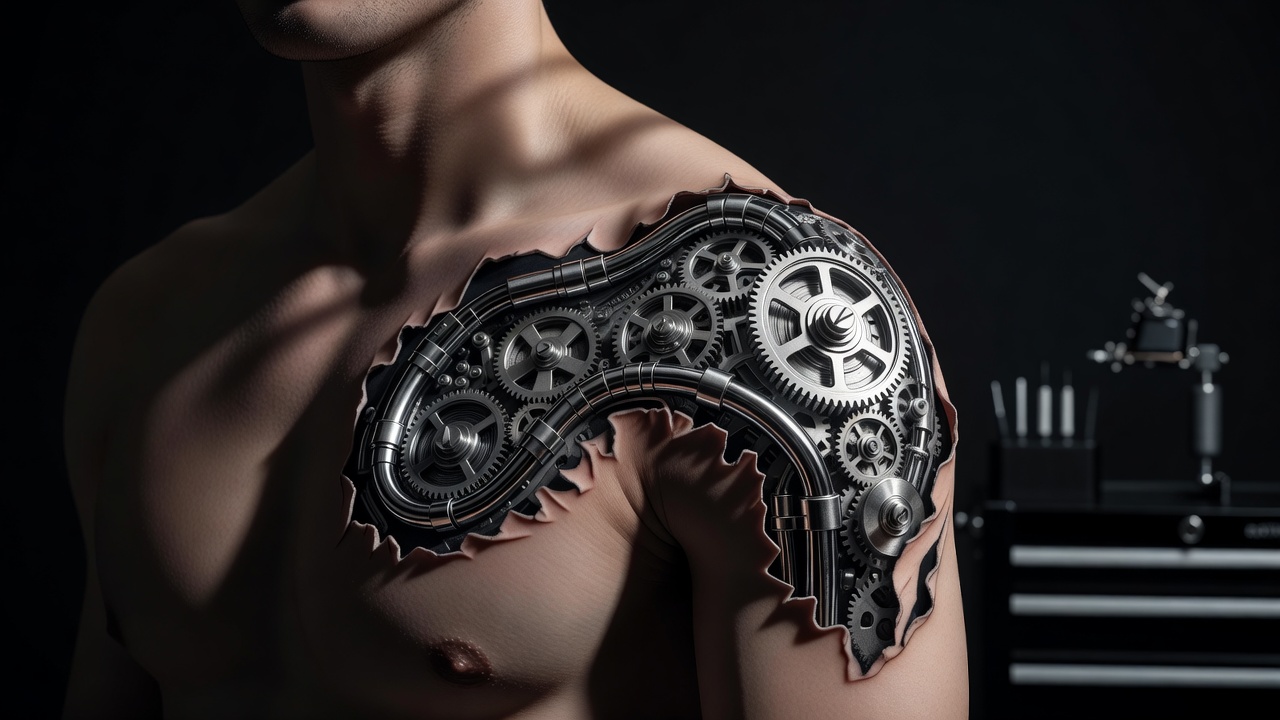
Biomechanical tattoos depict machinery — gears, pistons, hydraulic tubing, exposed cabling, armor plating — as if it exists underneath the skin and has broken through to the surface. Unlike most tattoo styles, which sit on the body, biomechanical work is meant to look like it replaces part of the body, using shading, torn "skin" edges and consistent light sources to sell the idea that the arm or shoulder is genuinely mechanical underneath.
The genre traces back to the surrealist industrial art of H. R. Giger, the Swiss artist best known for designing the creature in Ridley Scott's Alien, whose fusion of organic anatomy and industrial machinery defined the visual language tattoo artists later adapted for skin. That shared vocabulary — chrome highlights, mechanical joints, torn-skin transitions — is also what makes biomechanical a rewarding style to prototype with AI, since the underlying rules are consistent enough for a model to apply with real precision.
How Does a Biomechanical AI Tattoo Generator Work?
An AI tattoo generator renders an image from your description or reference photo, and selecting a biomechanical-leaning style tells the model to favor mechanical components, chrome and metal shading, and torn or peeled "skin" edges instead of flat linework or soft color blending. You can steer it toward a specific direction — an exposed piston running down a forearm, an armored shoulder plate, a bio-organic hybrid where machinery and muscle blend together — or toward a more general biomechanical look that mixes elements freely.
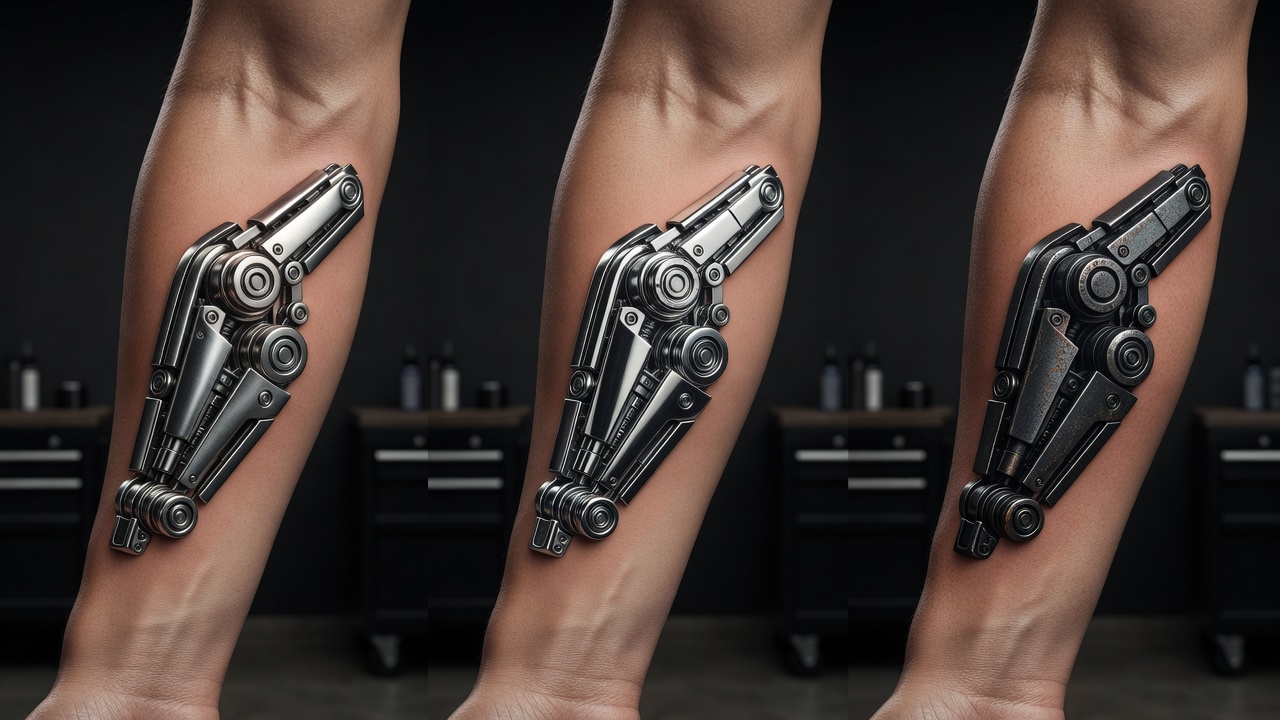
In INK, you can generate the same idea from a typed prompt or an uploaded reference photo, choose a biomechanical-leaning style, and compare several variations side by side. Because the mechanical logic and shading consistency can shift between generations, it's worth producing a few versions and checking whether the metal actually looks like it's catching light from one consistent direction rather than judging the first result alone.
Is AI Actually Good at Biomechanical Tattoo Designs?
Yes, more so than most people expect. Biomechanical art is built from structural, repeatable rules — sharp transitions where metal meets skin, a single consistent light source across every chrome surface, and mechanical parts that need to look functional rather than decorative — and that kind of rule-based composition is exactly what image models handle confidently. Ask for a forearm with an exposed piston or a shoulder with armor plating breaking through, and a biomechanical AI tattoo generator tends to return a technically coherent result fast.
Where it takes more care is originality. It's best to avoid asking for an exact reproduction of a specific artist's protected work, including the Alien-style xenomorph imagery most associated with the genre, since that is someone else's copyrighted intellectual property and a tattoo based on it could run into the same legal and ethical issues as any other unlicensed reproduction. What works well instead is describing the qualities you're drawn to — exposed joints, an organic-metal fusion, a dark chrome palette — and letting the AI build an original design around that aesthetic. It's the same principle covered in our AI tattoo copyright guide, and it applies just as directly to biomechanical work as to any other referenced style.
How to Prompt an AI Tattoo Generator for Biomechanical Style
A few habits make the difference between a biomechanical prompt that comes back looking engineered and one that comes back looking like generic metal texture:
- Decide which body part "opens up" first. A joint, a muscle line, or a straight section of limb each need a different mechanical composition, so pick one before you start prompting.
- Name the style directly. Say "biomechanical," "bio-organic," or "cybernetic" so the AI favors mechanical-under-skin logic over flat linework or soft color.
- List the specific parts you want. Mention gears, pistons, hydraulic tubing, cabling, or armor plating so the design reads as functional machinery rather than a generic metallic texture.
- Describe light and material. A phrase like "brushed chrome catching light from above" keeps shading consistent across every mechanical surface in the piece.
- Edit instead of restarting. If one mechanical joint looks flat, use an AI tattoo editor to fix that section rather than regenerating the whole design.
Popular Biomechanical Tattoo Styles and Ideas
Because biomechanical spans everything from subtle bio-organic blending to full mechanical sleeves, it's worth trying a handful of directions to see which fits the look and scale you're after:
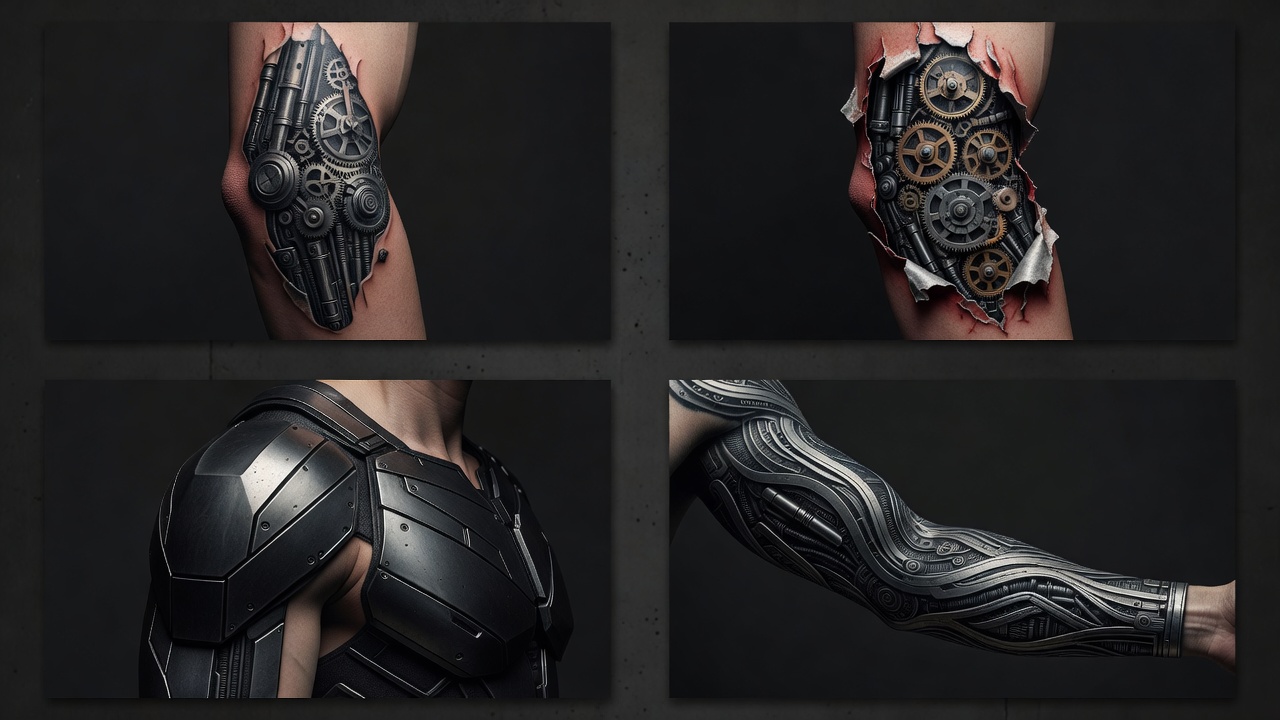
- Exposed joint mechanics — pistons, hinges or hydraulic tubing visible at the elbow, knee or shoulder, where the body already bends like a machine.
- Torn-skin reveals — a small section of "peeled back" skin showing gears or wiring underneath, often used as a smaller, more contained piece.
- Bio-organic fusion — mechanical parts blended with muscle, tendon and bone rather than replacing them outright, a softer take on the genre.
- Armor plating — segmented metal plates that follow the body's contours, popular for shoulder caps and chest pieces.
- Full mechanical sleeves — a continuous system of gears, cabling and plating running the length of an arm or leg, usually planned as a larger project.
How Does Biomechanical Compare to Other AI Tattoo Styles?
Biomechanical sits close to realism in one specific way: both depend on convincing light and shadow to feel believable, since a chrome surface with an inconsistent light source reads as flat immediately, the same way a poorly lit realistic portrait does. Where it differs is structure — realism is trying to reproduce something that already exists, while biomechanical has to invent a mechanical logic that looks like it could actually move and function, closer to a design problem than a copying problem.
It also borrows contrast techniques from blackwork, since the deep shadows between mechanical plates and the sharp torn-skin edges rely on the same confident, high-contrast fills that make blackwork read cleanly. The trade-off shows up over time in the same way it does with any detail-heavy style: fine chrome highlights and thin cabling lines are more delicate on skin than bold single-color fills, so scale matters more here than it does for a simpler design.
Where Do Biomechanical Tattoos Look Best?
Biomechanical designs read best where the body's own joints and muscle lines can do some of the storytelling, which makes placement more important here than in almost any other style.
- Forearm and elbow — the classic biomechanical placement, since the joint's natural bend sells the illusion of a hinge or piston.
- Shoulder and upper arm — enough flat, rounded surface for armor plating or a dense mechanical cluster to sit clearly.
- Calf and knee — another natural hinge point, well suited to exposed joint mechanics or hydraulic tubing.
- Back and chest — the go-to spot for a larger armor-plated piece or a full mechanical system with room to breathe.
- Full sleeve — for a continuous mechanical system running shoulder to wrist, best planned as a long-term project across multiple sessions.
Our best tattoo placements guide covers pain levels and visibility for every area of the body, and INK's AR try-on feature lets you preview a generated biomechanical design at real scale on your own skin before you book anything. Because fine chrome highlights and thin mechanical lines hold up differently than bold fills over time, it's worth reading our tattoo aftercare guide — and the American Academy of Dermatology's aftercare guidance — before a detail-heavy biomechanical piece so the shading you designed actually stays sharp as it heals.
Designing Your Biomechanical Tattoo with AI
Biomechanical tattoos live or die on whether the mechanics look believable and the light stays consistent, which is exactly where designing with AI helps most. With INK you can describe your idea in plain language ("an exposed piston and cabling running down the forearm, brushed chrome, torn-skin edges"), compare a subtle bio-organic version against a full armor-plated one, and test how a shoulder or calf design would read before anyone picks up a machine.
Because you can iterate freely, you can try a contained joint-reveal against a more ambitious full-sleeve concept, check how the mechanical parts follow your specific arm or leg, and AR-preview it on your own skin before committing to anything. When you're ready, you bring your artist a clear, considered reference instead of a vague description.
The Final Word
A biomechanical AI tattoo generator won't replace an artist's hand for wrapping mechanical logic around your real joints and muscles as they move, but it will get you to a genuinely engineered-looking concept far faster than sketching chrome shading and torn-skin transitions from scratch. Name the style explicitly, describe original mechanical parts rather than a copyrighted design, generate a handful of variations, and preview the result on your own skin before you bring it to an artist who can adapt it for how it will actually hold up.
Design Your Biomechanical Tattoo Free in INK
Describe the mechanical parts, chrome finish, and placement you want, then AR-preview the design on your body before you commit — all in INK. No sign-up needed.
Try INK Free →

Create Your Perfect Tattoo Design
Use AI to generate unique tattoo designs and preview them on your body before committing to ink.
Start Designing for FreeWritten by

Laura Schmitz
Tattoo Content Lead, INK
Laura Schmitz leads tattoo content at INK. She has spent years researching tattoo styles, symbolism and aftercare, and works directly with the AI tattoo generator to test how each style translates from prompt to skin — so every guide here reflects designs that are actually tattooable, not just images that look good on screen.
More about the author