
Trash Polka AI Tattoo Generator: Bold Red-and-Black Collage Art
How a trash polka AI tattoo generator renders the style's signature red-and-black collage of realistic imagery, abstract brushwork and splatter — what it gets right, where a human artist still matters, and how to prompt it well.
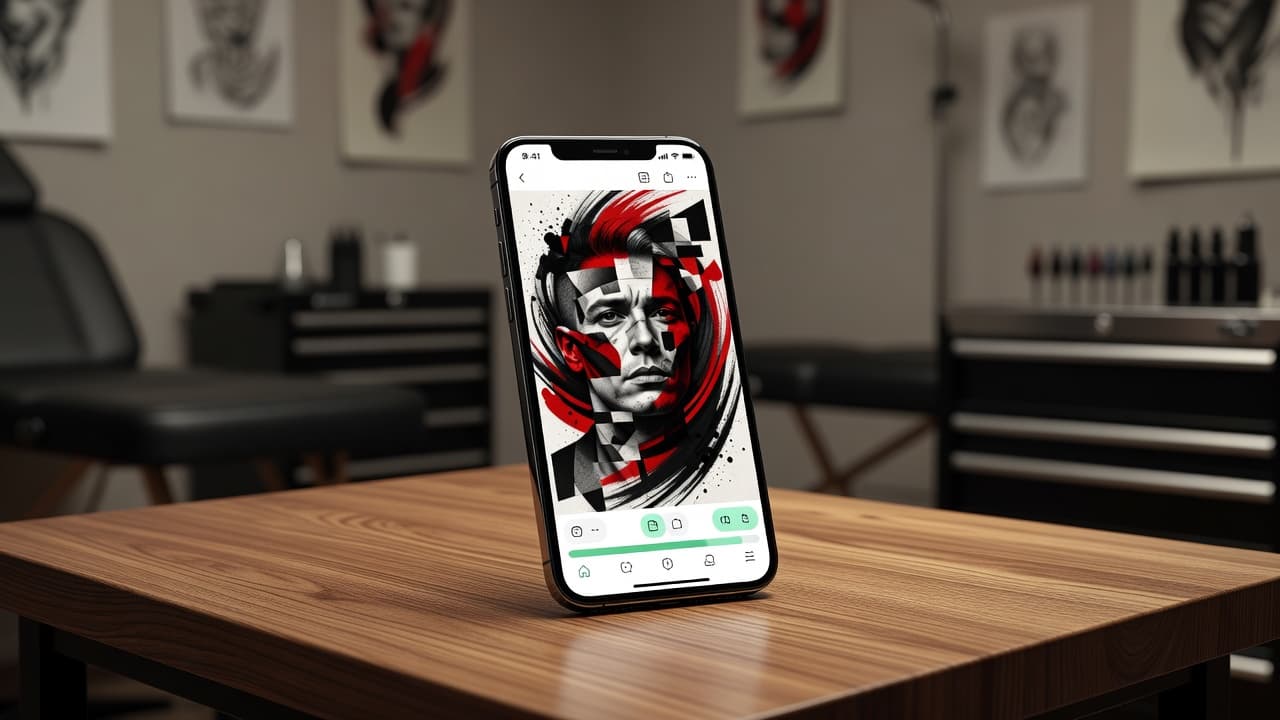
Trash polka tattoo asks a strange question of a design: how do you make solid black shading, a single sharp red, and photorealistic detail read as one deliberate piece instead of chaos? A trash polka AI tattoo generator lets you test that balance before committing to a chair — describe the portrait, object, or symbol you want collaged with abstract red-and-black brushwork, and see a coherent composition in seconds instead of sketching the layers by hand.
In short: a trash polka AI tattoo generator is an AI tattoo tool set to render the trash polka aesthetic — a realistic anchor image collaged with abstract brush strokes, splatter, torn-paper texture, and geometric fragments, almost always limited to black ink plus one sharp, unblended red. You describe or upload a reference, select a trash polka-leaning style, and the AI produces artwork you can refine and preview on your own body before booking anything. This guide covers what the style actually is, how well AI handles its collage logic, where a human artist's precision still matters, and how to prompt one for a design that reads as intentional rather than cluttered.
What Is Trash Polka Tattooing?
Trash polka is a collage-based tattoo style that layers a realistic, often black-and-grey anchor image with deliberately abstract elements — brush strokes, ink splatter, torn-paper edges, geometric shapes, and sometimes fragments of numbers or text — almost always rendered in black plus a single vivid red. Unlike most tattoo styles, which aim for visual harmony, trash polka is built on productive tension: a photorealistic lion's face or clock might sit inside a frame of scratchy, graphic chaos, with red used sparingly but sharply to draw the eye exactly where the artist wants it.
The style emerged in Germany in the early 2010s, developed by tattoo artists Simone Pfaff and Volker Merschky, who drew more from collage art and graphic design than from traditional tattoo references. That graphic-design lineage is exactly what makes trash polka feel different from almost everything else in tattooing — it treats the skin like a poster or a mixed-media canvas, layering realism and abstraction the way a designer might layer photography and typography.
How Does a Trash Polka AI Tattoo Generator Work?
An AI tattoo generator renders an image from your description or reference photo, and selecting a trash polka-leaning style tells the model to build around three ingredients at once: a realistic focal subject, abstract graphic chaos surrounding it, and a single sharp red used as an accent rather than a blended tone. That's a more demanding combination than most single-technique styles, which is part of why comparing several generations side by side matters more here than usual.
In INK, you can start from a typed prompt or an uploaded reference photo, choose a trash polka-leaning style, and generate multiple variations of the same idea. Because the style depends so heavily on how boldly the red is used and whether the collage layering reads as deliberate rather than messy, it's worth judging each version specifically on that balance rather than on the realistic subject alone.
Is AI Actually Good at Trash Polka Tattoo Designs?
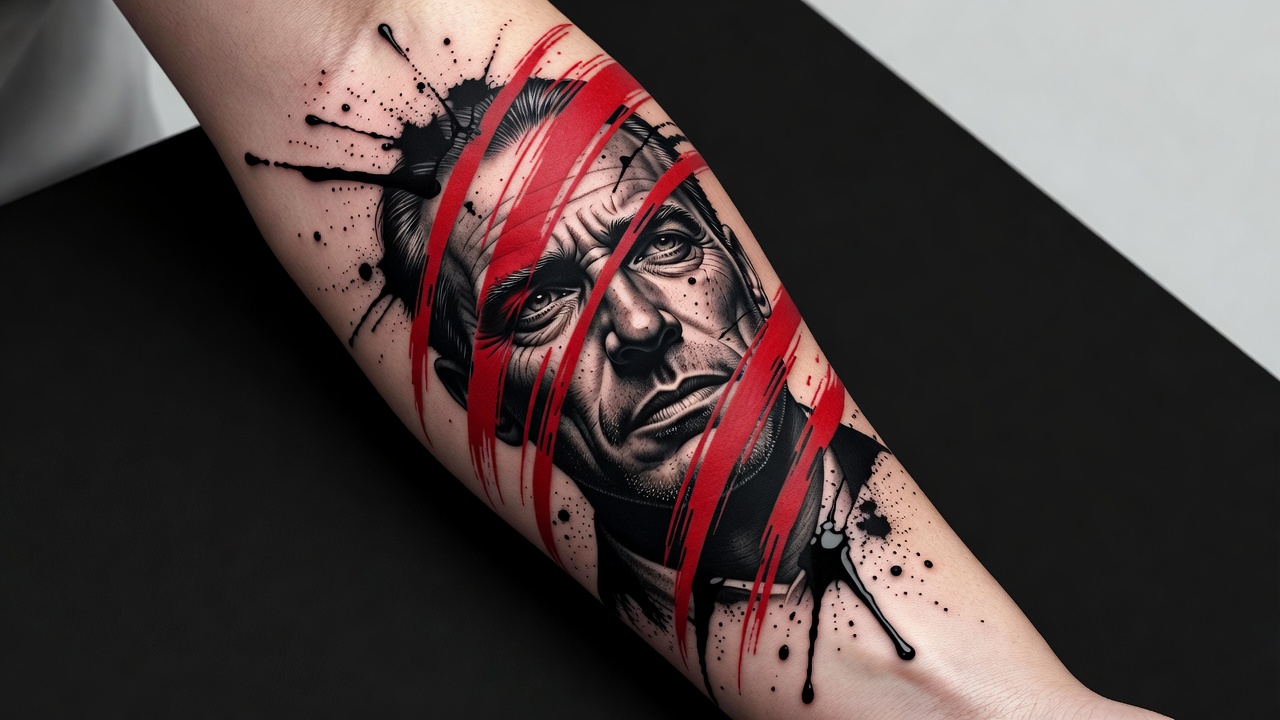
AI handles the two core ingredients of trash polka convincingly on their own: a strong photorealistic subject and bold, high-contrast black-and-red graphics are both well-represented visual patterns that image models render with real confidence. Ask for a realistic tiger's face torn apart by red brushwork and abstract linework, and you'll typically get a striking, well-composed result within the first few tries.
Where it's less reliable is the balance between the three ingredients. A generated design can let the red spread too far and stop reading as an accent, or render the abstract splatter and brush strokes as random visual noise instead of the structured, deliberate chaos that defines the style at its best. The realistic portion can also come out too smooth and soft, when trash polka generally wants that anchor image to stay high-contrast so it holds its own against the graphic layer around it. Treat the AI output as a strong starting composition, and generate a handful of variations specifically to compare which one keeps all three elements in tension rather than letting one overwhelm the others.
How to Prompt an AI Tattoo Generator for Trash Polka Results
A few habits make the difference between a trash polka prompt that comes back cohesive and one that comes back looking like a generic splatter effect:
- Name the style explicitly. Say "trash polka" or "red and black collage tattoo" so the AI favors the style's graphic layering over smooth shading or full color.
- Anchor a realistic subject. Name one specific focal point — a portrait, an animal, a clock, a rose — since trash polka builds around a single strong image rather than staying abstract everywhere.
- Call out the red accent separately. Say "sharp, unblended red accent" or "single vivid red" to keep the color graphic and deliberate instead of shaded pink or diluted into the black.
- Describe the abstract layer. Add terms like "abstract brush strokes," "ink splatter," "torn paper texture," or "geometric fragments" for the chaotic elements that surround the anchor subject.
- Edit instead of restarting. If the red spreads too far or the splatter looks messy rather than deliberate, use an AI tattoo editor to adjust that part rather than regenerating the whole piece.
Trash Polka Tattoo Ideas Worth Trying
Because the style depends on a strong anchor subject, it's worth trying a few directions to see which realistic focal point pairs best with the graphic chaos around it:
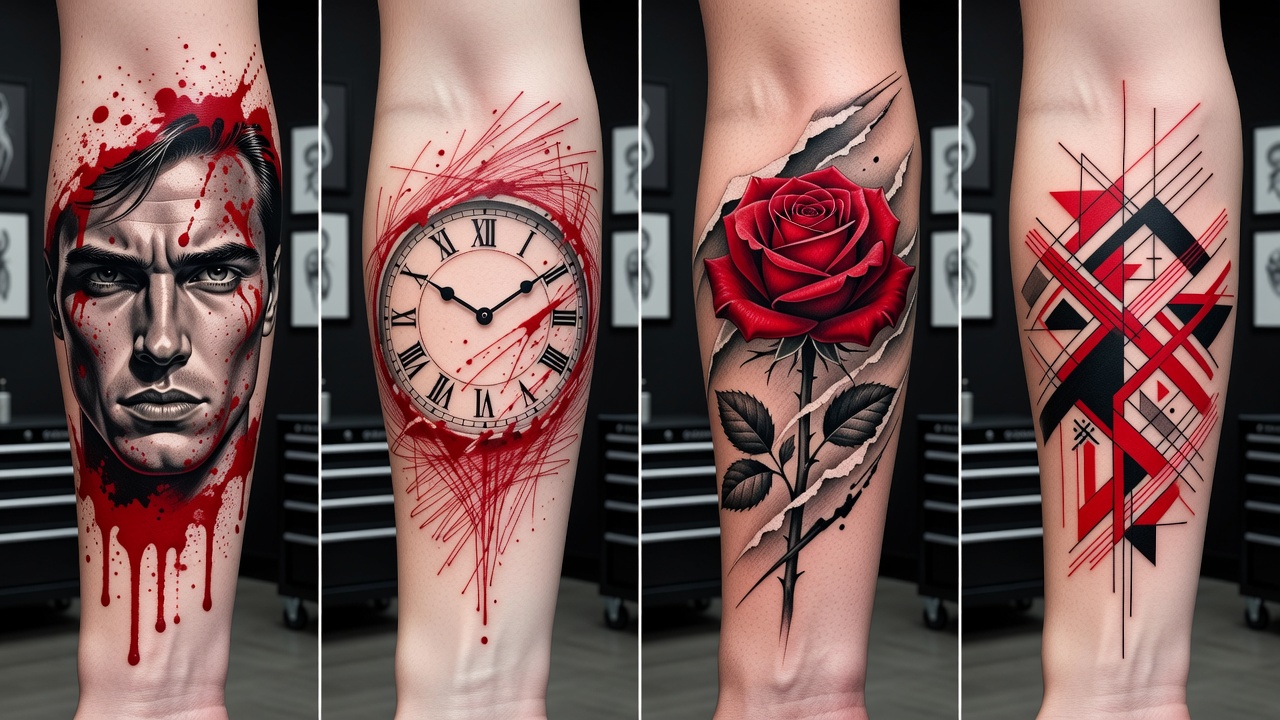
- Realistic portrait collage — a face or animal rendered in convincing black-and-grey, torn into by red brush strokes and geometric fragments.
- Clock and time imagery — a realistic clock or watch face layered with scratchy red linework, a classic trash polka motif built around urgency and decay.
- Nature subjects — a rose, skull, or bird rendered realistically, then collaged with torn-paper texture and sharp red accents for contrast.
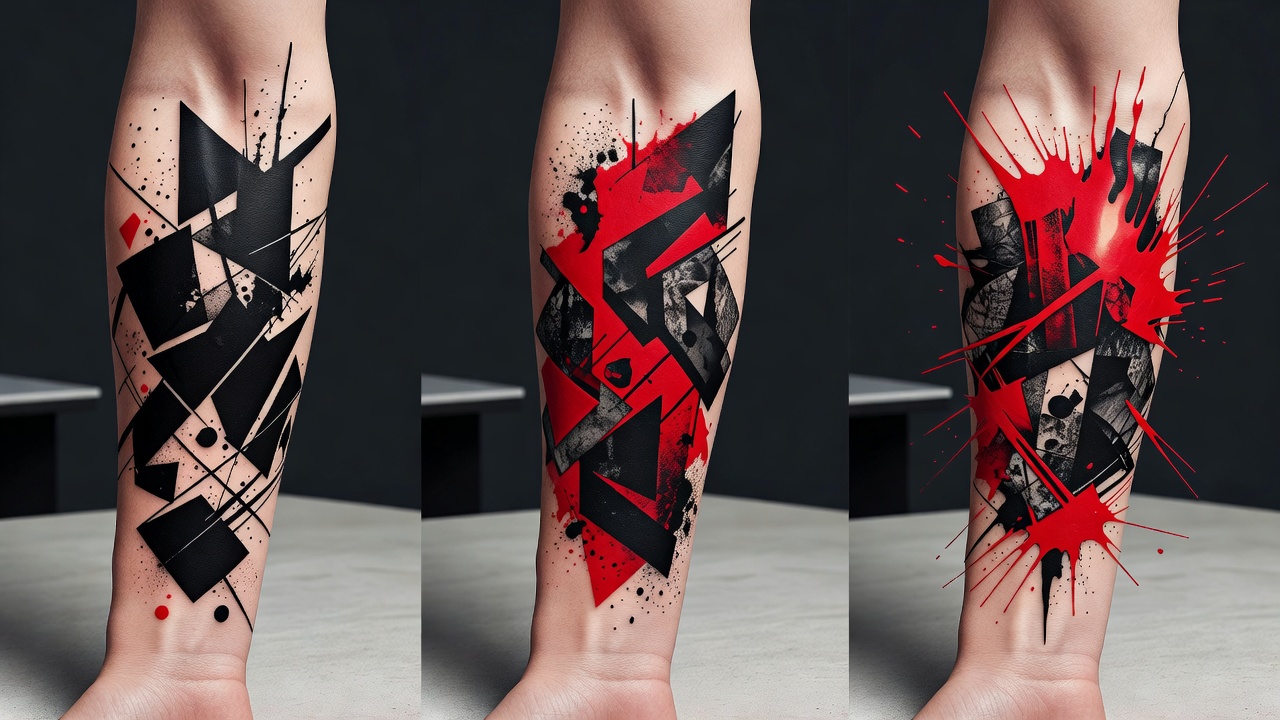
- Abstract geometric trash polka — geometric shapes and structural lines standing in for the realistic anchor, still built around the same black-and-red graphic tension.
- Numeral or fragment collage — numbers or partial letterforms woven into the composition as graphic elements rather than legible text.
Trash Polka vs. Realism and Watercolor: What's the Difference?
All three styles can start from the same realistic reference photo, but they resolve it in opposite directions. Realism aims for a single, seamless image that mimics a photograph, with smooth tonal blending and no visible interruption in the technique. Watercolor goes the opposite direction from structure entirely, letting soft color bleed and blur past its own edges the way loose paint does on wet paper.
Trash polka sits in a different place than either. It keeps a realistic, high-contrast anchor image — closer in spirit to realism than to watercolor's softness — but then deliberately breaks the seamlessness apart with abstract brush strokes, splatter, and sharp red accents. Where realism hides its own construction and watercolor blurs it into looseness, trash polka puts the construction on full display: you're meant to see where the "real" image ends and the graphic chaos begins. If you're deciding between directions for the same idea, it's worth generating a version in each style — the difference is much easier to judge from three finished mockups side by side than from a description.
Who Does a Trash Polka Tattoo Suit?
Trash polka tends to appeal to people who want a piece that feels intense and graphic rather than quiet or decorative. Because the style commits fully to high contrast and a single sharp red, it doesn't blend subtly into a collection of softer tattoos — it reads as a statement wherever it sits. If you're drawn to bold, structured chaos over smooth realism or delicate linework, and you're comfortable with a design that draws the eye rather than fading into the background, trash polka is usually the style people land on after comparing it against calmer alternatives.
Where Do Trash Polka Tattoos Look Best?
Because the style depends on a realistic anchor plus visible collage layering around it, it needs real space to read clearly — small trash polka pieces tend to lose that layered logic and end up looking like scattered marks up close.
- Chest and back — the most common canvas for trash polka, with enough room for the realistic anchor and the abstract layer around it to both breathe.
- Full sleeve or forearm — strong for a single anchor subject with red accents and splatter flowing along the arm's natural lines.
- Thigh and calf — large, flat areas that suit bigger collage compositions with multiple layered elements.
- Shoulder — works well as a smaller-scale entry point into the style, especially with just one realistic focal point and a restrained amount of red.
Our best tattoo placements guide covers pain levels and visibility for every area of the body, and if this is your first large piece, our first tattoo guide walks through what to expect before you book. Dense black shading combined with saturated red work can mean a longer healing process than a simple line tattoo of the same size, so it's worth reading the American Academy of Dermatology's tattoo aftercare guidance before a large session, alongside our own tattoo aftercare guide.
Designing Your Trash Polka Tattoo with AI
Trash polka lives on the tension between its three ingredients, which is exactly where designing with AI helps most. With INK you can describe your idea in plain language ("a realistic wolf portrait torn apart by red brush strokes and black geometric fragments"), compare how much red feels like an accent versus how much overwhelms the piece, and preview the result on your own body with AR try-on before anyone picks up a machine.
Because you can iterate freely, you can test a tighter, more restrained composition against a busier one, check how it wraps your specific chest, arm, or back, and refine the balance until it feels deliberate rather than chaotic. If you want to see how AI tools stack up more broadly before you choose one, our AI tattoo generator comparison guide is a useful next stop. When you're ready, you bring your artist a clear, considered reference instead of a vague description.
Choosing Your Trash Polka Design
Trash polka rewards restraint as much as boldness — the style looks its best when the chaos is deliberate and the red is used like a scalpel, not a flood. Getting that balance right before you sit down for a session is exactly what makes prototyping with AI worth the extra step.
What is a trash polka AI tattoo generator? A tool that renders the style's realistic anchor imagery, abstract collage elements, and sharp red accents based on your description or reference photo.
Is AI good at trash polka designs? It's strong at both the realistic subject and the graphic red-and-black contrast individually, though balancing all three elements together still benefits from comparing several generations.
How do I get the best results? Name your realistic anchor, call out the red accent separately, describe the abstract layer, and generate several variations to compare balance.
Where does it look best? Chest, back, full sleeve, thigh, or shoulder — anywhere with enough space for the realistic anchor and the collage layer around it to both read clearly.
Whatever direction you land on, compare a few variations before you commit. Choose your anchor subject, your red accents, and your abstract layer deliberately, and you'll end up with a trash polka piece that reads as intentional collage rather than clutter.
Design Your Trash Polka Tattoo Free
Describe your realistic anchor, layer in red accents and abstract brushwork, and AR-preview the result on your body before you commit — all in INK. No sign-up needed.
Try INK Free →

Create Your Perfect Tattoo Design
Use AI to generate unique tattoo designs and preview them on your body before committing to ink.
Start Designing for FreeWritten by
INK Team