
Dotwork AI Tattoo Generator: Design Stippled Shading Art
How a dotwork AI tattoo generator renders stippled shading and pointillism-style tattoo designs — where the AI gets the texture right, where an artist's hand still matters, and how to prompt it well.

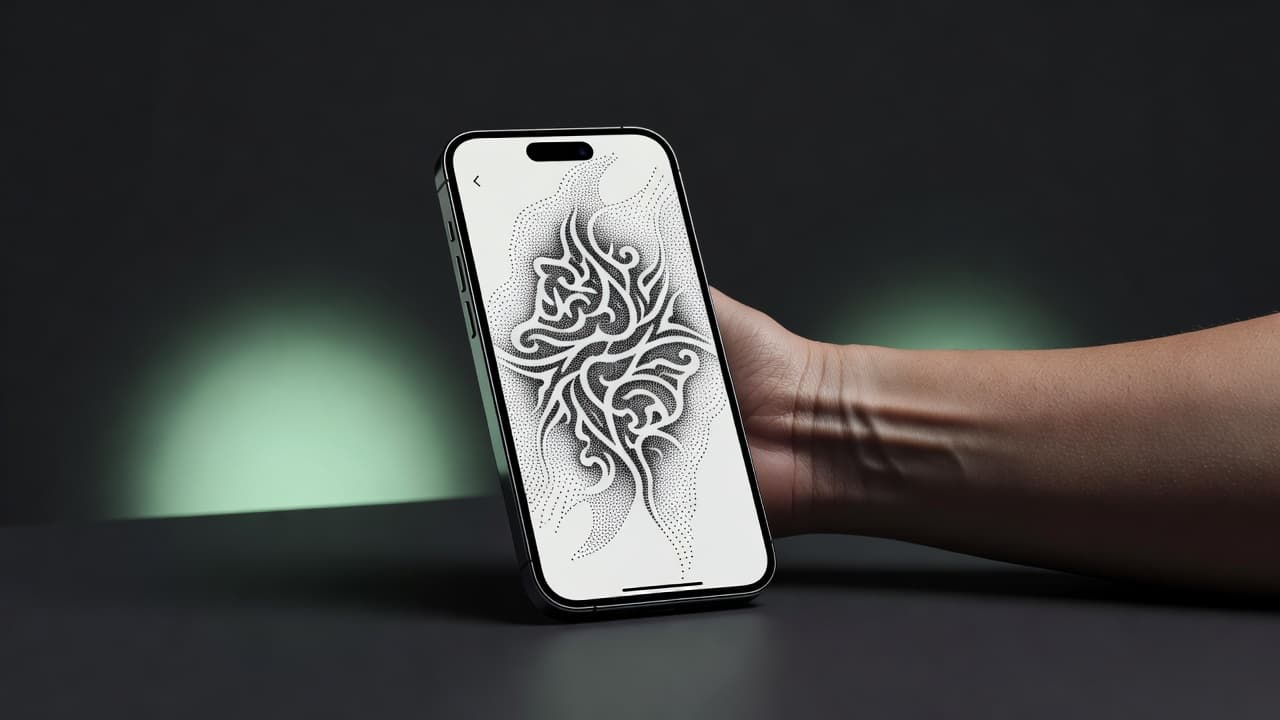
Dotwork turns thousands of tiny points into shading, texture, and depth without a single solid fill or gradient wash — it's one of the most technically demanding styles in tattooing, and one of the most striking. A dotwork AI tattoo generator gives you a fast way to explore that language before committing to ink: describe a stippled mandala, a dotwork animal portrait, or a geometric piece shaded entirely in dots, and see a well-composed layout rendered in seconds instead of sketching every gradient by hand.
In short: a dotwork AI tattoo generator is an AI tattoo tool set to the dotwork aesthetic — stippled shading built from individual dots instead of solid lines, fills, or smooth gradients. You describe or upload a reference, select a dotwork-leaning style, and the AI produces artwork you can refine and preview on your own body before booking an appointment. This guide covers how these generators render dotwork, where AI is strong and where a human artist's precision still matters, and how to prompt one for results that read as deliberate texture rather than noise.
What Is Dotwork Tattooing?
Dotwork is a tattoo technique built entirely from individual dots, applied one at a time to create shading, texture, and gradients through density and spacing rather than continuous lines or solid fills. Sparse, widely spaced dots read as light shading; dense, tightly packed dots build up to near-solid darkness, and the transition between the two is what gives dotwork pieces their signature soft, almost dust-like depth. The technique traces back to pointillism, the fine-art painting method where artists like Georges Seurat built entire images from small, distinct dots of color rather than blended brushstrokes — tattoo dotwork applies the same principle in black ink on skin.
Dotwork rarely stands entirely alone. It's frequently combined with geometric patterning, mandalas, sacred geometry, or fine linework, where the dots handle shading and gradient while clean lines define the structure. That pairing is part of why dotwork overlaps so often with blackwork — both rely on the relationship between ink and bare skin, just built with different tools.
How Does a Dotwork AI Tattoo Generator Work?
An AI tattoo generator renders an image from your description or reference photo, and selecting a dotwork-leaning style tells the model to favor a stippled, dot-built texture over smooth shading, solid fills, or color. You can steer it toward a specific direction — pure stippled shading, dotwork combined with geometric linework, or a dotwork mandala — or toward a more general "fine dotwork" look that blends elements freely.
In INK, you can generate the same idea from a typed prompt or an uploaded reference photo, choose a dotwork-leaning style, and compare several variations side by side. Because dotwork depends so heavily on how the shading transitions from dense to sparse, it's worth generating a few versions and paying close attention to where the gradient feels smooth versus where it looks abrupt, rather than judging the first result alone.
Is AI Actually Good at Dotwork Tattoo Designs?
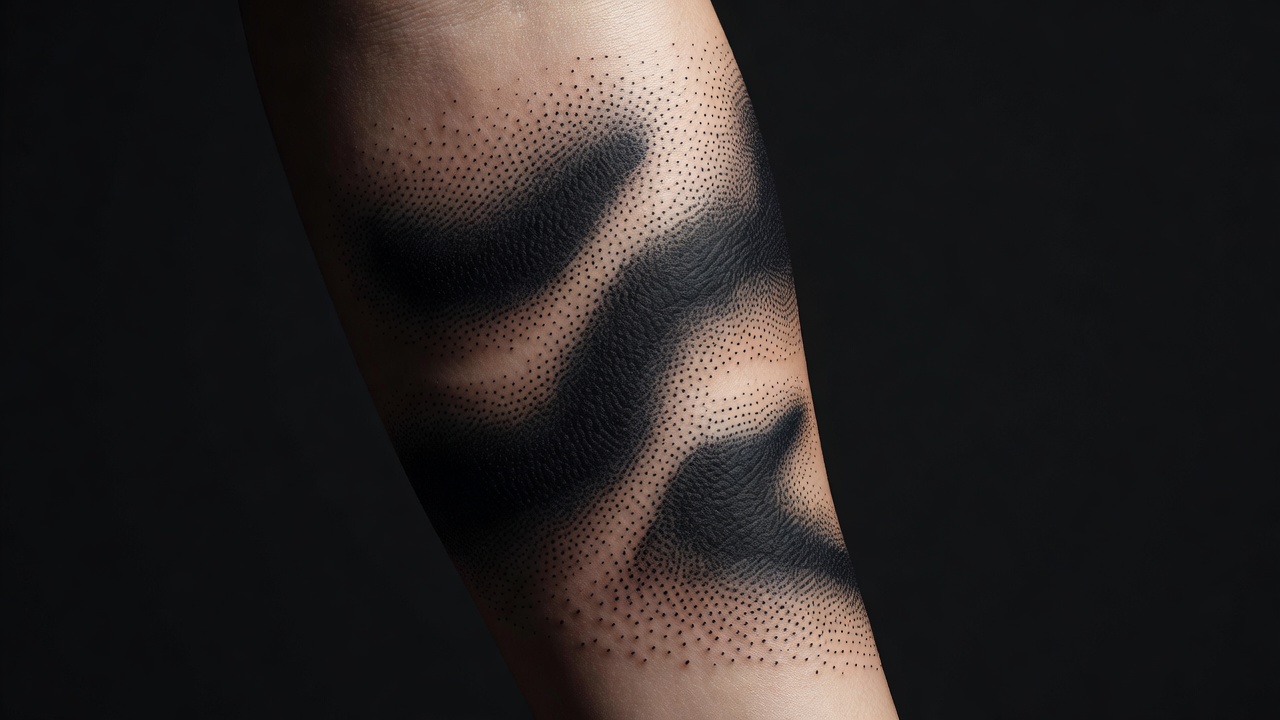
AI is convincing at the overall look of dotwork — the composition, subject matter, and general impression of stippled shading come through clearly, because that texture is a recognizable visual pattern the model has plenty of reference for. Ask for a dotwork wolf portrait or a geometric dotwork mandala, and you'll typically get a striking, well-composed image on the first few tries.
Where it's genuinely weaker is precision at working size. Real dotwork tattooing depends on an artist controlling the exact spacing and density of individual dots to build a gradient that heals evenly and still reads clearly years later — something closer to fine-line work in the level of hand control it demands. A generated image often simulates the texture convincingly at a glance without describing a pattern that translates cleanly into an actual dot-by-dot stencil, so treat the AI output as a strong visual reference for composition and shading direction, not a literal dot map.
How to Prompt an AI Tattoo Generator for Dotwork Results
A few habits make the difference between a dotwork prompt that comes back cohesive and one that comes back looking like generic soft shading:
- Pick a direction first. Pure stippled shading, dotwork blended with linework, or a dotwork mandala — starting from a clear idea keeps the texture from feeling like an afterthought.
- Name the style directly. Say "dotwork," "stippling," or "pointillism tattoo" so the AI favors dot-built texture over smooth gradients or solid fills.
- Describe the placement. Mention "forearm," "shoulder," or "full back" so the design is shaped to fit that specific area instead of sitting as a generic flat shape.
- Call out the gradient. Dotwork lives on the transition between dense and sparse dots — say "shading fading into negative space" or "dense stippled core with a soft dot gradient" depending on the effect you want.
- Edit instead of restarting. If one area feels too dark or too flat, use an AI tattoo editor to adjust that part rather than regenerating the whole piece.
Dotwork Tattoo Styles Worth Trying
Because dotwork rarely stands alone, it's worth trying a handful of directions to see which fits the subject and scale you're after:
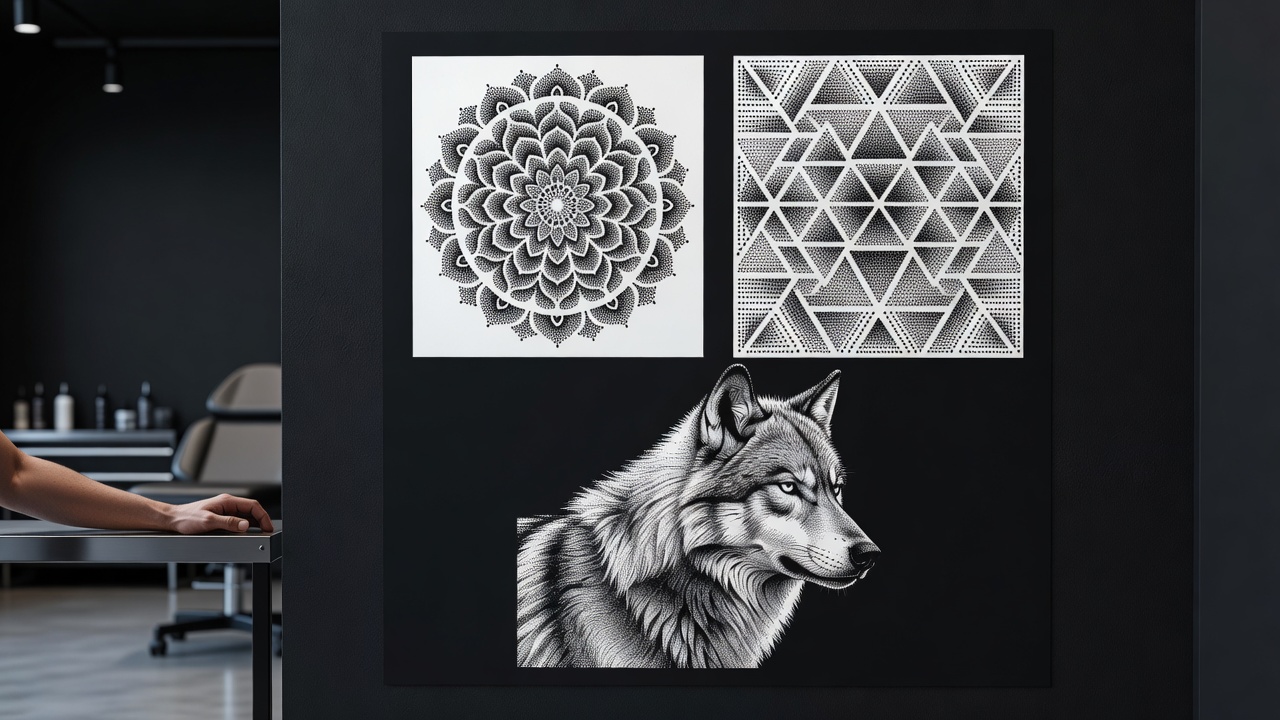
- Pure stippled shading — dots used as the entire technique, building portraits, animals, or landscapes purely through dot density.
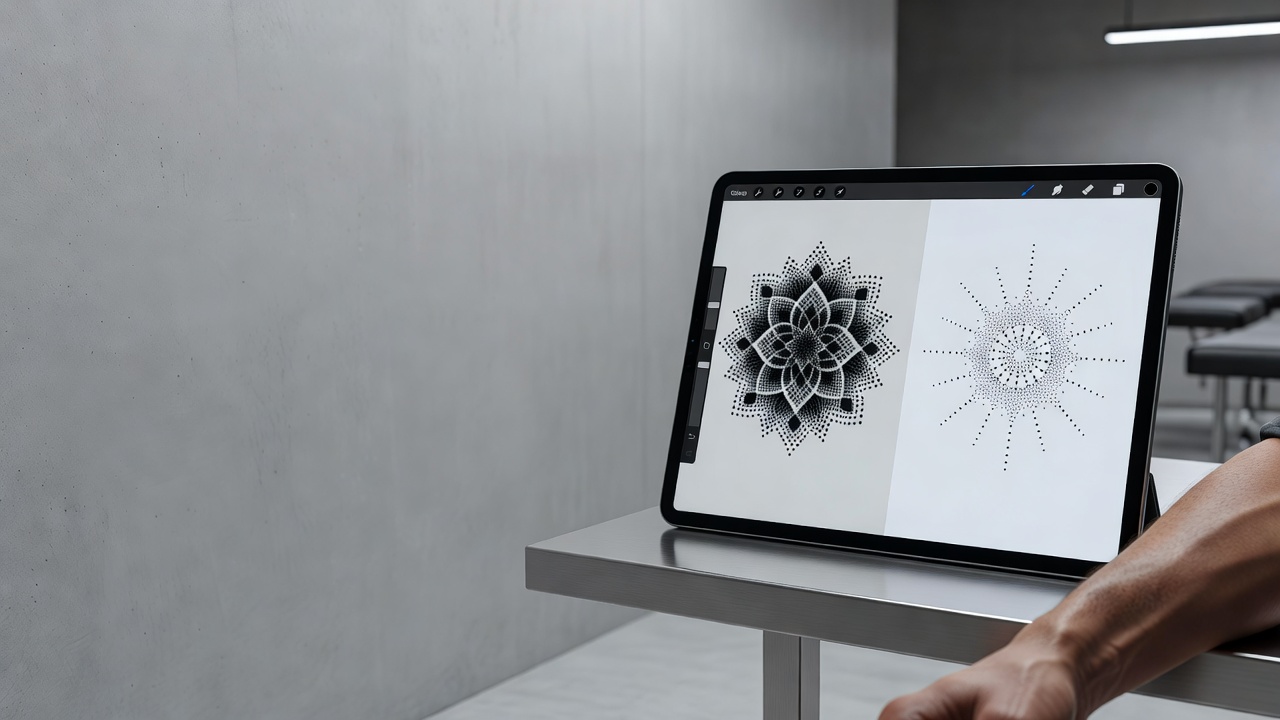
- Dotwork mandalas — symmetrical, meditative patterns where dots handle gradient shading within a geometric structure.
- Dotwork blended with linework — clean linework defines the subject while dots add shading, depth, and texture around it.
- Sacred geometry dotwork — precise geometric shapes and grids softened by stippled shading instead of hard fills.
- Dotwork blackwork hybrids — dense, near-solid dot clusters used alongside true blackwork fills for contrast between texture and solid ink.
Dotwork vs. Blackwork: What's the Difference?
The two styles get confused constantly, and for good reason — both are typically done in black ink only, both lean on the relationship between ink and bare skin, and they're frequently combined in the same piece. The distinction comes down to technique. Blackwork is defined by solid fills and sharp, continuous edges: an area is either filled with black ink or it isn't, with a hard line between the two. Dotwork is defined by density: instead of a hard edge between filled and unfilled, individual dots gradually thin out or thicken up, producing a soft gradient rather than a clean boundary.
That single difference changes how each style reads visually. Blackwork tends to look graphic and bold — closer to a silhouette or a woodcut. Dotwork tends to look soft and atmospheric, closer to charcoal shading or an old engraving. A piece can absolutely use both — solid blackwork fills for the darkest areas, stippled dotwork for the gradual transition into negative space — and that hybrid approach is one of the most requested looks from artists who specialize in either technique. When you're comparing an AI-generated blackwork design against a dotwork one, the composition might look similar at a glance; the tell is always in how the shading behaves at the edges.
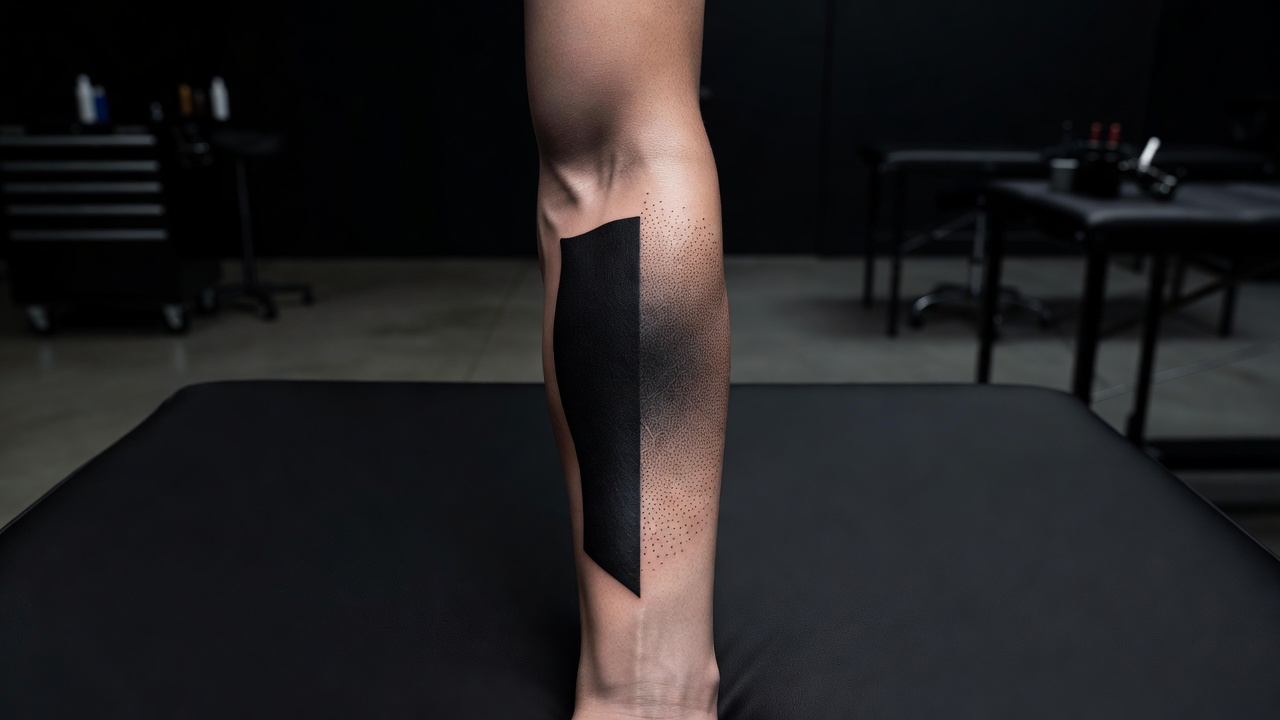
If you're not sure which direction fits your idea, our blackwork AI tattoo generator guide covers the solid-fill side of the same visual family, and it's worth generating a version of your idea in each style before deciding — the difference is often easier to judge by comparing two finished mockups than by reading a description.
Who Does a Dotwork Tattoo Suit?
Dotwork tends to appeal to people who want depth and texture without going fully solid or fully realistic. It sits in an interesting middle ground: more atmospheric and dimensional than pure linework, but softer and more painterly than photorealism or heavy blackwork. If you like the idea of a piece that looks hand-drawn and textured rather than flat, or you want shading without committing to large areas of solid black, dotwork is usually the style people land on after trying a few AI-generated options side by side.
It's also a technically demanding style to tattoo well, which matters when you're choosing an artist. Not every studio has someone who specializes in fine, even stippling — it's a slower, more repetitive technique than lining or filling, and the spacing has to stay consistent across a large area for the gradient to heal evenly. Bringing a clear AI-generated reference to a consultation is a good way to confirm upfront whether a shop has the specific dotwork experience your design needs, rather than finding out mid-session.
Where Do Dotwork Tattoos Look Best?
Dotwork reads best where there's enough flat space for a gradient to unfold gradually, which makes placement a bigger part of the decision than it is for smaller, simpler styles.
- Forearm and upper arm — plenty of even space for shading gradients and mandala patterns to sit clearly.
- Shoulder and chest — the go-to spot for larger dotwork mandalas or sacred-geometry pieces.
- Ribs and back — enough room for dotwork portraits or nature scenes with detailed shading.
- Calf and thigh — strong, visible areas that suit bold stippled compositions.
- Hands and fingers — fine stippled detail here fades faster than elsewhere on the body, so simpler, higher-contrast dotwork tends to age better than delicate gradients.
Our best tattoo placements guide covers pain levels and visibility for every area of the body, and if this is your first large piece, our first tattoo guide walks through what to expect before you book. Because dense dotwork punctures a lot of skin repeatedly across a shaded area, healing can take a bit longer than simple linework of the same size — the American Academy of Dermatology's tattoo aftercare guidance is worth reading before a large dotwork session, and our own tattoo aftercare guide covers what to expect during healing.
Designing Your Dotwork Tattoo with AI
Dotwork lives on the quality of its gradients, which is exactly where designing with AI helps most. With INK you can describe your idea in plain language ("a dotwork mandala with a dense stippled core fading into fine negative-space linework"), compare a geometric dotwork sleeve against a more illustrative portrait option, or test how a shoulder design would read before anyone picks up a machine.
Because you can iterate freely, you can try a denser, more saturated composition against a lighter one, check how it wraps your specific arm, back, or leg, and AR-preview it on your own skin before committing to anything. If you want to see how AI tools stack up more broadly before you choose one, our AI tattoo generator comparison guide is a useful next stop. When you're ready, you bring your artist a clear, considered reference instead of a vague description.
Choosing Your Dotwork Design
Dotwork rewards patience and precision in equal measure — a design that looks striking needs its gradients deliberate, not just dense. Getting that balance right before you sit down for a session is exactly what makes prototyping with AI worth the extra step.
What is a dotwork AI tattoo generator? A tool that renders stippled shading, dot-built texture, and deliberate gradients in the dotwork aesthetic, based on your description or reference photo.
Is AI good at dotwork designs? It's convincing at composition and overall texture, though real dot-by-dot spacing still needs a skilled artist to translate into a working stencil.
How do I get the best results? Name your direction, describe the placement, call out the gradient you want, and generate several variations to compare density.
Where does it look best? Forearm, shoulder, chest, ribs, calf, or thigh — anywhere with enough flat space for a gradient to unfold gradually.
Whatever direction you land on, take the time to compare a few variations before you commit. Choose your gradient, subject, and placement deliberately, and you'll end up with a dotwork piece that reads as intentional texture rather than noise.
Design Your Dotwork Tattoo Free
Describe your dotwork design, explore styles and placements, and AR-preview it on your body before you commit — all in INK. No sign-up needed.
Try INK Free →

Create Your Perfect Tattoo Design
Use AI to generate unique tattoo designs and preview them on your body before committing to ink.
Start Designing for FreeWritten by

Laura Schmitz
Tattoo Content Lead, INK
Laura Schmitz leads tattoo content at INK. She has spent years researching tattoo styles, symbolism and aftercare, and works directly with the AI tattoo generator to test how each style translates from prompt to skin — so every guide here reflects designs that are actually tattooable, not just images that look good on screen.
More about the author