
AI Tattoo Generator for Ankle Tattoos: Design Ink That Fits the Curve
How an AI tattoo generator handles ankle tattoos — choosing between the outer ankle, anklet band, and back-of-ankle layouts, keeping lines clean around the bone, and previewing the design on your own ankle.
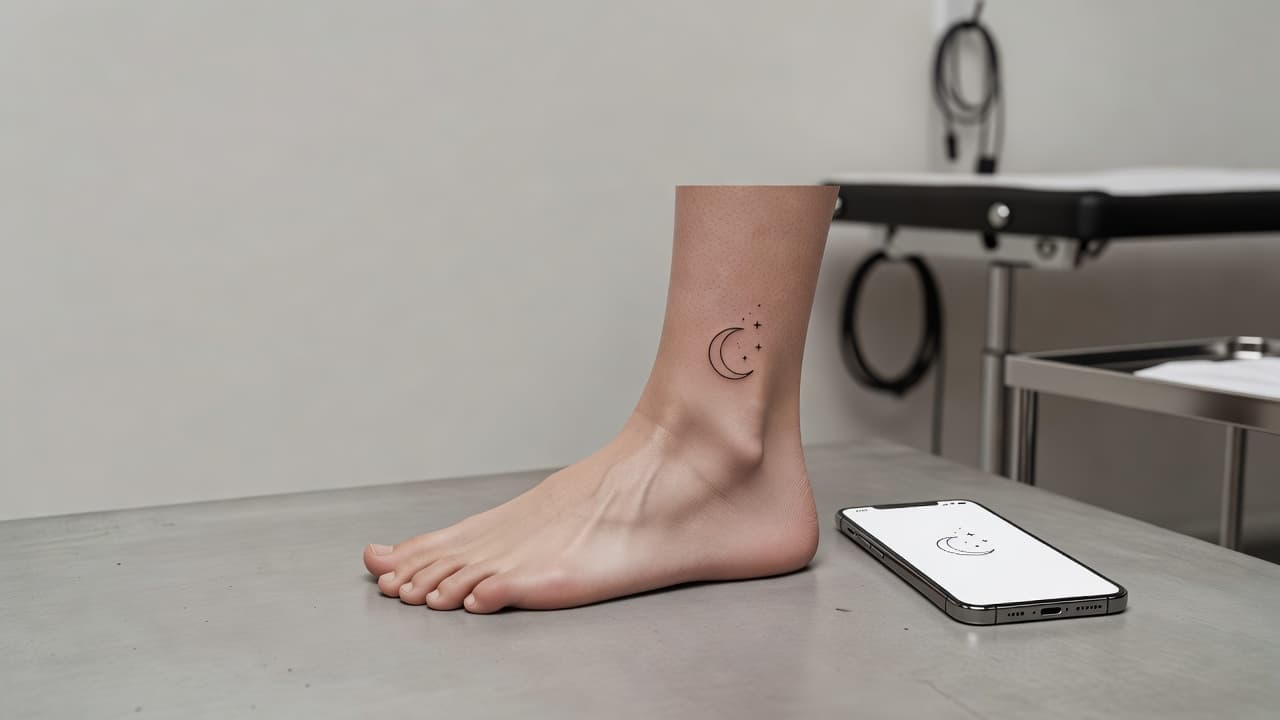
The ankle is one of the classic spots for a small, personal tattoo — easy to show in summer, easy to hide in socks and boots, and a natural frame for delicate designs. An AI tattoo generator for ankle tattoos lets you test an idea on that tricky space before you book: describe a design, choose whether it sits on the outer ankle, the inner ankle, the back, or wraps around like an anklet, and see whether it still reads clearly around the bone.
In short: designing an ankle tattoo with AI means picking the placement first — outer ankle, inner ankle, back of the ankle, or a full anklet band — and prompting for clean, simple linework that survives a small, curved, high-friction surface. This guide covers how AI handles ankle-specific designs, how to prompt for them, which styles work best, and how to preview the result on your own leg.
What Is an AI Tattoo Generator for Ankle Tattoos? (Quick Answer)
An AI tattoo generator for ankle tattoos is an AI tattoo tool used to design pieces shaped for the ankle's small, bony, curved surface. You describe your idea or upload a reference photo, the AI composes a design that works at small scale and around the joint, and you can preview how it sits on your ankle before choosing a size or placement.
Why the Ankle Is a Popular Tattoo Placement
The ankle is a favorite for first tattoos and for small, meaningful pieces. It is simple to show with sandals, cropped trousers, or shorts, and just as simple to cover with socks and boots, which suits people who want a tattoo they can choose to display. It also pairs naturally with the idea of an anklet: a thin line or chain of tiny symbols that follows the shape of the leg. The trade-off is that the space is small and unforgiving. Skin here is thin, the ankle bone sits right under the surface, the leg tapers and curves, and shoes rub the area every day, so a design that looks fine on a phone screen can turn crowded or lopsided on a real ankle. That is exactly where a generator helps: you can try several compositions in minutes instead of discovering the problem on the stencil.
How Does an AI Tattoo Generator Handle Ankle Tattoos?
An AI generator renders artwork from your description or a photo, and for the ankle the most useful details are placement and simplicity. Phrases like "thin band around the ankle," "small symbol on the outer ankle bone," or "slim vertical design along the back of the ankle" change how the AI arranges the composition instead of defaulting to a generic square.
In INK you can describe your idea or start from a text prompt, name the placement, and generate several options to compare. An ankle design reads differently once it wraps over a real, curved leg, which is why checking the result against your own ankle matters more here than on a flat area like the thigh. If you already have a wrist piece in mind, our guide to the AI tattoo generator for wrist tattoos covers the same small-joint logic.
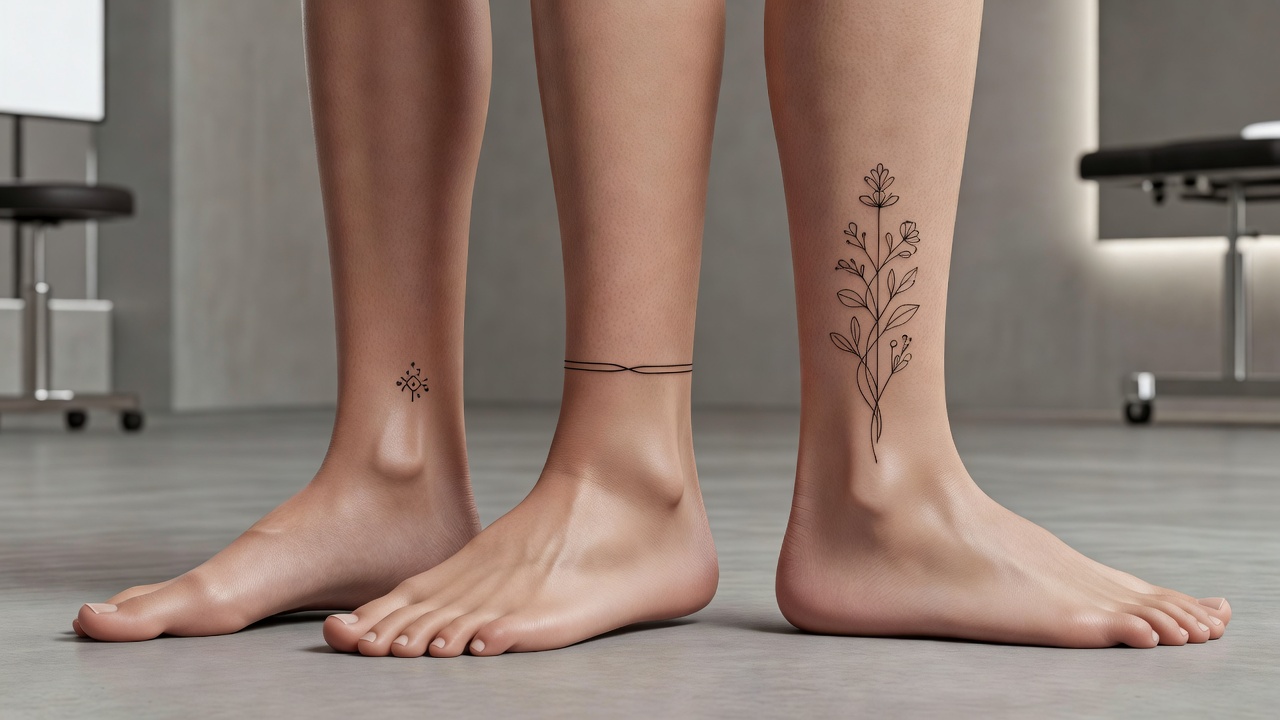
How to Prompt an AI Tattoo Generator for an Ankle Tattoo
A few habits separate a clean ankle piece from a cramped design that happens to be placed there:
- Pick the placement first. Tell the AI whether the piece sits on the outer ankle, inner ankle, back of the ankle, top of the foot, or wraps around as an anklet band.
- Ask for simple shapes. Request clean outlines, open space, and a limited number of elements so the design stays readable at about 4 to 8 cm.
- Specify direction. Say whether the design runs vertically along the leg or horizontally across it, so the AI composes for the right axis.
- Set the line weight. Ask for fine, even lines for a delicate look, or slightly bolder lines if you want it to stay crisp for years.
- Generate three or four variations. Compare them side by side and keep the one with the most breathing room.
If you want to build on an existing sketch, our guide to turning a sketch into a tattoo design shows how to refine one in a few steps.

Outer Ankle, Inner Ankle, or Anklet Band: Choosing a Placement
The biggest decision for an ankle tattoo is where on the ankle it goes. The common approaches:
- Outer ankle. The side facing away from the other leg, usually around or just above the bone. It is the most visible spot and suits small symbols, short words, and compact florals.
- Inner ankle. A more private placement that is easy to hide and well suited to tiny, delicate pieces.
- Back of the ankle. Along the Achilles area, where a slim vertical design such as a stem, a feather, or a short line of text can follow the tendon.
- Anklet band. A thin line, chain, or row of small symbols wrapping around the ankle, designed to resemble jewelry that never comes off.
- Top of the foot. Just below the ankle, this gives you a little more flat room for a slightly larger design, though it is also an area that takes friction from shoes.
Each option shifts what the AI should draw, so say the placement in your prompt and generate a version for two or three of them before deciding.
Styles and Subjects That Work Well on the Ankle
- Fine-line florals. A single stem, a small bloom, or a trailing vine suits the back or outer side of the ankle; our fine-line tattoo guide explains how to keep delicate lines readable.
- Minimalist symbols. Moons, stars, waves, arrows, and simple geometric shapes stay legible at small scale; see our minimalist tattoo ideas for inspiration.
- Anklet bands. Thin chains, beads, and repeating tiny motifs wrap naturally around the joint.
- Lettering and dates. A short word, a name, or a roman numeral works well, and our AI lettering generator helps you test fonts before committing.
- Tiny animals and landscapes. A simplified butterfly, bird, or horizon line fits the compact space as long as the detail stays minimal.
How Big Should an Ankle Tattoo Be?
Scale is where most ankle designs go wrong. A piece that looks crisp on a phone can feel crowded once it is only a few centimeters wide, and fine detail that seems sharp on a screen can blur together in skin over the years. As a rough guide, a small symbol on the outer ankle often runs about 3 to 6 cm across, a short word or date 5 to 8 cm long, and an anklet band wraps the full circumference of roughly 20 to 25 cm, depending on your leg. Tell the AI the approximate size and placement you have in mind, generate two or three scales, and compare them in a try-on preview. Our guide to small tattoo ideas shows how much meaning a compact design can carry.
Common Ankle Tattoo Mistakes a Generator Helps You Avoid
- Too much fine detail. Tiny lines and tight gaps can blur as ink settles; asking for cleaner, slightly bolder linework keeps the piece readable for years.
- Ignoring the bone. A design that sits flat on screen can warp over the ankle bone; a preview catches that early.
- Forgetting shoe friction. Straps, laces, and sock edges rub the area daily, so a piece placed right at a shoe line may heal and age less cleanly.
- Placing a straight line on a curved leg. Perfectly horizontal bands can look tilted from the side; try-on shows how the line reads in motion.
- Choosing on impulse. Generating several versions and sleeping on the decision costs nothing and prevents regret.
Does an Ankle Tattoo Hurt, and How Does It Heal?
Pain varies by spot. The ankle bone and the area right over the tendon are often described as more sensitive because the skin is thin and sits close to bone, while the fleshier sides of the ankle tend to be a little more tolerable; our tattoo pain chart compares placements across the body. Healing is usually straightforward, but the ankle is far from the heart and can swell when you stand for long periods, and socks and shoes rub the area. Loose footwear, clean socks, and keeping the leg elevated when you can all help. Our tattoo aftercare guide covers the full timeline, and sun protection matters once healed, since sandal season exposes ankle skin to a lot of sunlight.
Previewing an Ankle Design on Your Own Leg
Because the ankle is so small and curved, checking how a design actually sits on your leg is worth the few minutes. A composition that looks centered on a screen can drift once it is wrapped around a real ankle, and a symbol that seems well sized can feel tiny beside the bone. Using AR try-on to preview the design lets you catch spacing, scale, and alignment problems early; our tattoo try-on technology guide explains how the preview works.

From AI Design to a Real Ankle Tattoo
Once you have a design you like, bring a high-resolution export to your artist and talk through exactly where the top and bottom edges should fall relative to the ankle bone and the line of your shoe. A good artist will adjust the design slightly for your anatomy, since a screen mockup rarely maps onto a real leg without small tweaks, and fine lines on thin skin are best left to someone experienced. According to the FDA's guidance on tattoo safety, it is also worth choosing a reputable studio that follows hygiene standards. For background on how tattoos have worked as body art across cultures, see the overview of tattooing on Wikipedia.
The Final Word
An AI tattoo generator for ankle tattoos will not replace an artist's hand, but it settles the questions that matter most for this placement: where the design sits, how simple it should be, and how big it can be. Decide the placement first, prompt for clean, uncluttered shapes, and preview the result on your own ankle before you commit.
Design Your Ankle Tattoo Free in INK
Describe your idea, choose a placement, and preview it on your own ankle before you ink. No sign-up needed.
Try INK Free →

Create Your Perfect Tattoo Design
Use AI to generate unique tattoo designs and preview them on your body before committing to ink.
Start Designing for FreeWritten by
INK Team