
AI Flash Tattoo Generator: Design Your Own Flash Sheets in Seconds
How an AI flash tattoo generator turns ideas into classic, ready-to-ink flash designs and full flash sheets — choosing a style, building a cohesive sheet, and previewing each piece before you commit.

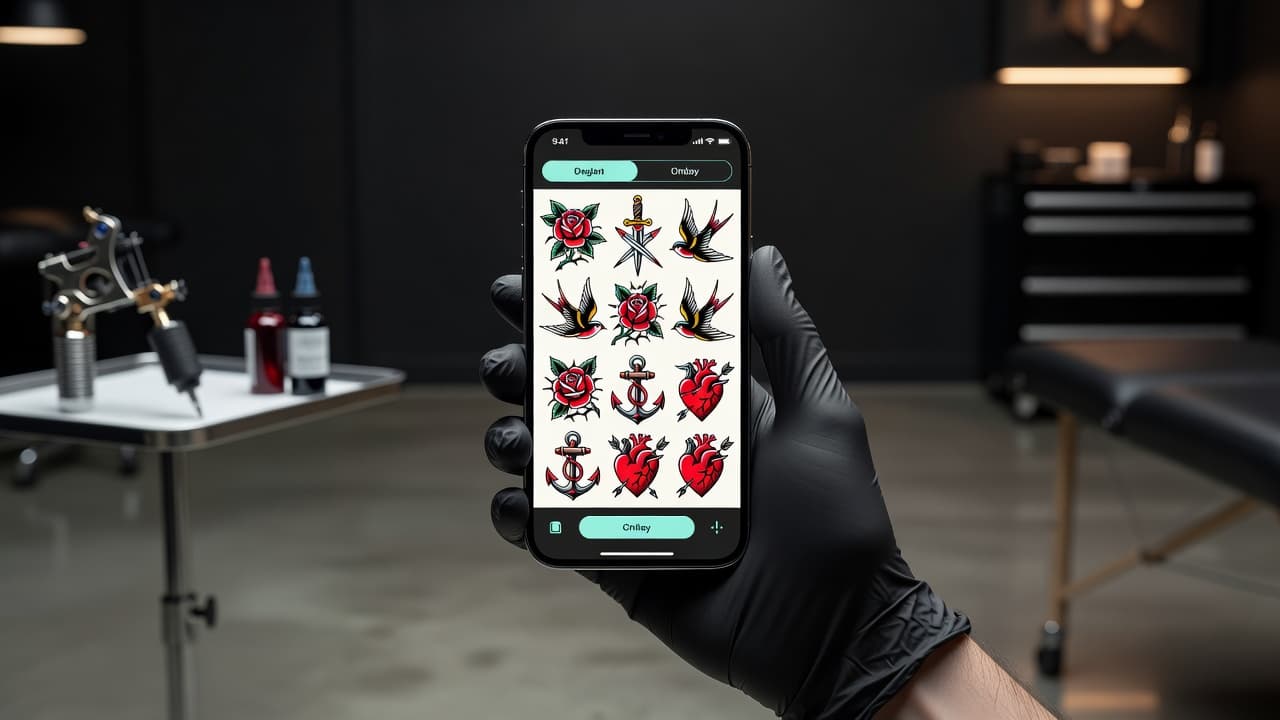
Flash is where tattooing started — sheets of bold, ready-to-ink designs pinned to studio walls, waiting for someone to point and say "that one." An AI flash tattoo generator brings that tradition into your phone: describe a design, choose a classic style, and watch the AI render clean, self-contained flash artwork in seconds, so you can build a whole sheet and preview each piece on your body before an artist ever picks up a machine.
In short: an AI flash tattoo generator turns a typed idea into flash-style tattoo art — the bold-outlined, limited-palette, designed-to-be-tattooed-as-is pieces that define classic flash. You describe the motif, pick a style, refine the result, and preview it on your skin. This guide explains what flash really is, how the generator works, how to build a sheet that hangs together, and how to take an AI flash design to a real artist.
What Is Flash in Tattooing?
Flash is pre-drawn tattoo artwork designed to be tattooed exactly as drawn. Historically, artists would paper their walls with painted sheets of these designs so a walk-in customer could pick one and get it that same day, no custom drawing required. The look is instantly recognisable: bold black outlines, a tight color palette, clean negative space, and timeless motifs — roses, daggers, swallows, anchors, hearts, panthers, and banners with a name or word inside.
That repeatable, ready-to-go quality is exactly what makes flash a perfect fit for AI. An AI flash tattoo generator produces the same kind of self-contained, designed-to-be-inked artwork, except you generate it from a prompt instead of flipping through a binder. If you want the history of the style flash grew out of, the Wikipedia entry on tattoo flash is a solid neutral primer, and our own traditional tattoo style guide covers the aesthetic in depth.
What Is an AI Flash Tattoo Generator?
An AI flash tattoo generator is a tool that turns a short text description into flash-style tattoo art. Instead of sketching by hand or searching for the right pre-made sheet, you type what you want — "traditional swallow with a banner," "fine-line crescent moon," "blackwork dagger through a rose" — choose a style, and the AI draws it the way it would actually sit as a tattoo, with the line weight and clean composition that flash demands.
The difference from a generic image generator is intent. Flash has rules: outlines thick enough to hold up for decades, shading that ages well, and a self-contained composition that works as a single stamp on skin. A good AI flash generator leans into those conventions instead of producing a detailed illustration that would never tattoo cleanly. It is the same engine behind our text-to-tattoo generator, focused specifically on that bold, repeatable flash aesthetic.
How Does an AI Flash Tattoo Generator Work?
The workflow is fast and endlessly forgiving — you can explore as many directions as you like before deciding on anything, which is the whole point. Exploration is free; the tattoo is permanent.
- Describe your flash idea. Type a short, specific prompt: the motif, the mood, and any symbolism. "Traditional swallow with a banner" gives the AI far more to work with than "a bird."
- Choose a flash style. Pick a direction — American traditional, neo-traditional, blackwork, illustrative, or fine-line. This single choice sets the line weight and palette for the whole piece.
- Generate and refine. The AI renders your design. If the composition is busy or the outline is too thin, adjust and regenerate. Each pass costs nothing but a few seconds.
- Build a cohesive sheet. Repeat in the same style around one theme so the designs read as a true flash sheet rather than a random collection.
- Preview and export. Use AR try-on to place a design at real scale on the spot you are considering, then download a clean, high-resolution version for your artist.
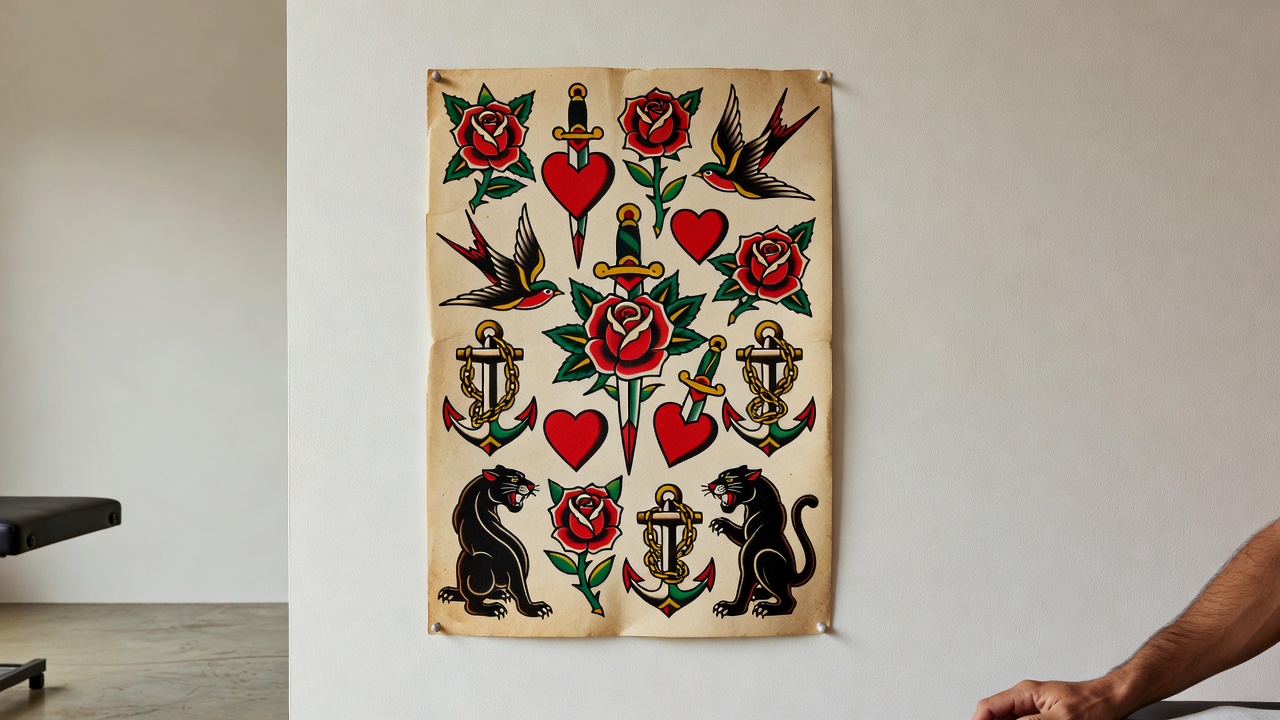
Which Styles Work Best for Flash?
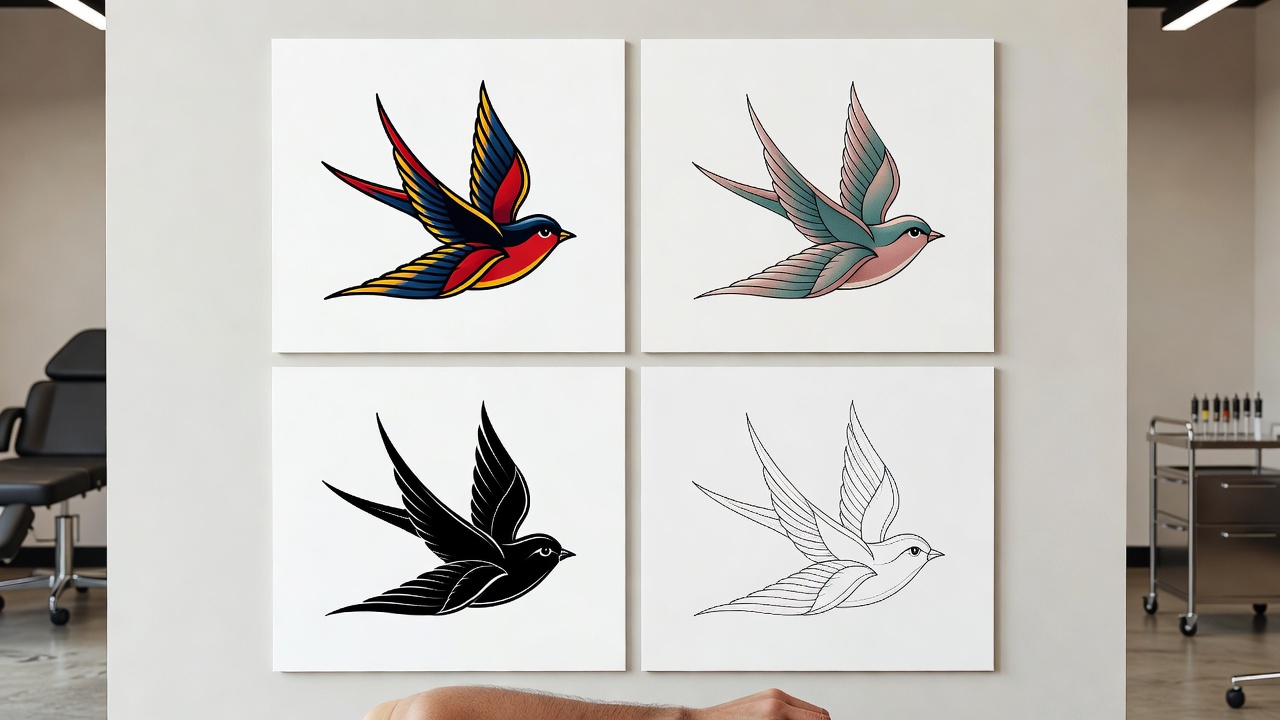
Flash lives and dies by readability. The styles that flash best are the ones that stay clear and bold as the skin ages over decades. When you generate, try the same idea across a few of these to feel the difference.
American Traditional
The original flash language: thick black outlines, a limited palette of red, green, yellow, and black, and iconic motifs. It is the safest bet for a design that will still look crisp in thirty years, which is why it remains the backbone of traditional tattooing.
Neo-Traditional & Illustrative
A richer cousin of traditional — more color depth, finer detail, and a touch of dimension while keeping the bold outline. Great for flash that wants a little more illustration without losing the stamp-like clarity.
Blackwork
Pure black ink, high contrast, no color. Bold and graphic, blackwork flash holds up beautifully and suits daggers, snakes, and ornamental pieces.
Fine-Line & Minimalist
For small, delicate flash — celestial symbols, tiny botanicals, simple line drawings. Pair this with our small tattoo ideas for a sheet of dainty, quick pieces.
How to Build a Cohesive Flash Sheet
A great flash sheet is more than a pile of designs — it is a set that clearly belongs together. The trick is consistency. Lock in three things before you generate and keep them fixed across every piece:
- One style. Don't mix fine-line and bold traditional on the same sheet. Pick a single style so the line weight matches everywhere.
- One palette. Decide on your colors — full traditional, black-and-red, or pure blackwork — and hold to it across the sheet.
- One theme. Tie the designs together with a single idea: sailor traditional, botanical, celestial, or a set built around a season or a story.
Generate each design individually with those three constants baked into the prompt, then arrange the finished pieces together. Because you are building one piece at a time, every design stays clean and intentional rather than crowded. Adding lettering? Our AI lettering generator handles banners and script that match the sheet.
A flash sheet should feel like one artist's voice across a dozen designs. If a stranger can tell at a glance that every piece came from the same hand, the sheet is working.
From AI Flash to Real Skin
An AI flash design is a polished starting point, not a finished tattoo. Tattooing is a craft that depends on how ink behaves in living skin, and a licensed artist brings judgement the generator can't: adjusting linework so it ages well, sizing the piece for your body, and refining details that read on screen but would blur once tattooed.
When you find a flash design you love, export it at high resolution and bring it to a reputable, licensed artist as a reference. Talk through placement, sizing, and any tweaks. If you want the linework cleaned into a true transfer, our AI tattoo stencil maker turns a design into print-ready outlines, and our guide to using the AI tattoo generator walks through the whole flow. Getting a fresh tattoo also means knowing the basics of healing — keep our tattoo aftercare tips handy for the weeks after.
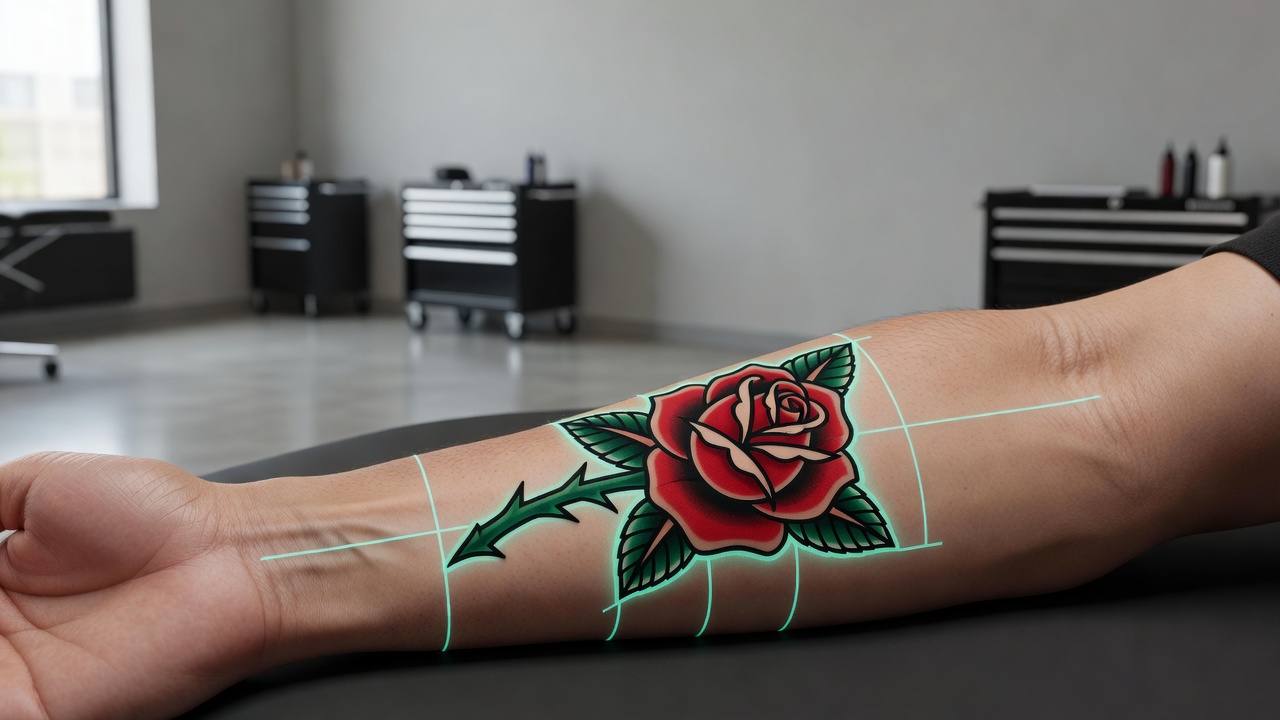
Why Design Flash in INK?
INK pairs the flash generator with everything around it: unlimited style exploration, AR try-on to preview designs on your own body, and clean high-resolution exports for your artist. You can build a full sheet, test it at real scale, and walk into the studio with a design you have already seen on your skin — all for free to start, with downloads available when you are ready to ink. Whether you want a single bold swallow or a twelve-piece traditional sheet, the AI flash tattoo generator gets you from idea to ready-to-ink in minutes.
Create Your Perfect Tattoo Design
Use AI to generate unique tattoo designs and preview them on your body before committing to ink.
Start Designing for FreeWritten by

Laura Schmitz
Tattoo Content Lead, INK
Laura Schmitz leads tattoo content at INK. She has spent years researching tattoo styles, symbolism and aftercare, and works directly with the AI tattoo generator to test how each style translates from prompt to skin — so every guide here reflects designs that are actually tattooable, not just images that look good on screen.
More about the author