
Fine Line AI Tattoo Generator: How to Design Delicate Tattoos That Last
How a fine line AI tattoo generator renders delicate, single-needle-style tattoos — what the AI does well, where a skilled artist still matters, and how to prompt it for crisp, lasting linework.

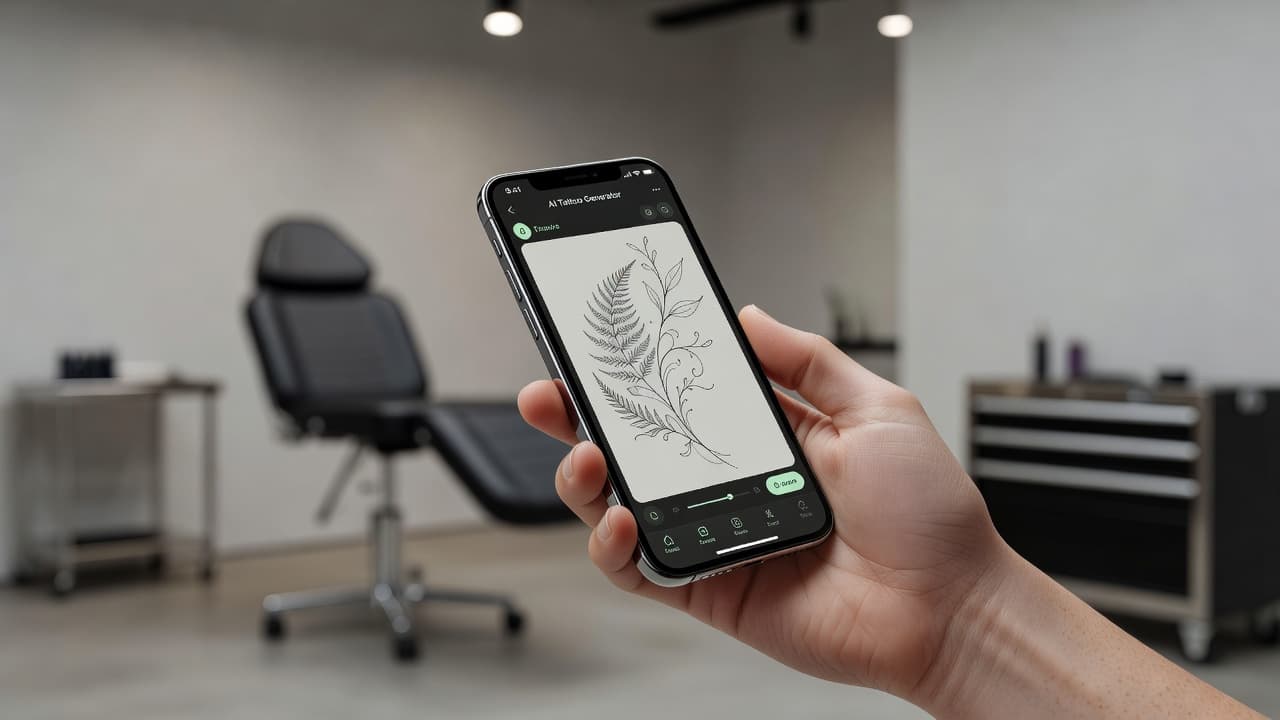
Fine line tattoos live and die by precision — a single wobble or an overly bold stroke can throw off a design that is supposed to look effortless. A fine line AI tattoo generator gives you a fast way to test that precision before a needle ever touches skin: describe a delicate botanical, a small script phrase, or a minimal outline, and see thin, consistent linework rendered in seconds instead of guessing how a sketch will translate.
In short: a fine line AI tattoo generator is an AI tattoo tool set to a delicate, single-needle style rather than bold blackwork or traditional linework. You describe or upload a reference, select the fine line style, and the AI produces thin-line, minimal-shading artwork you can refine and preview on your own body before you ever book an appointment. This guide covers how these generators actually render fine line style, where AI is strong and where it still falls short, and how to prompt one for results that hold up on real skin.
What Is Fine Line Tattooing?
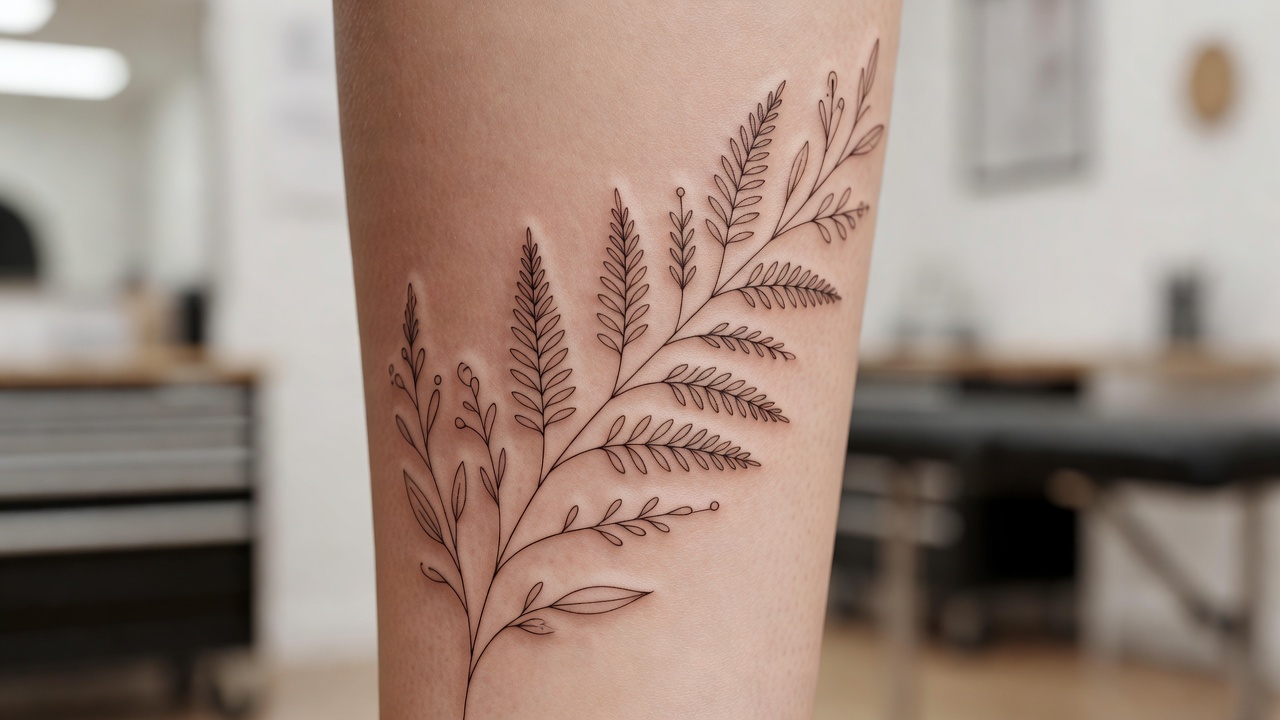
Fine line — sometimes called single-needle — is a tattoo style built almost entirely from thin, uniform lines with little to no bold shading or heavy black fill. Where tattooing has always ranged from thick traditional outlines to dense blackwork, fine line pulls in the opposite direction: delicate, almost hand-drawn strokes that favor negative space over saturation. It became especially popular for small, personal pieces — botanicals, script, tiny portraits, minimalist symbols — because the thin lines keep a design feeling light rather than heavy on the skin. If you want the full breakdown of the style's history and technique, our fine line tattoo guide covers it in depth; this piece focuses specifically on generating fine line designs with AI.
How Does a Fine Line AI Tattoo Generator Work?
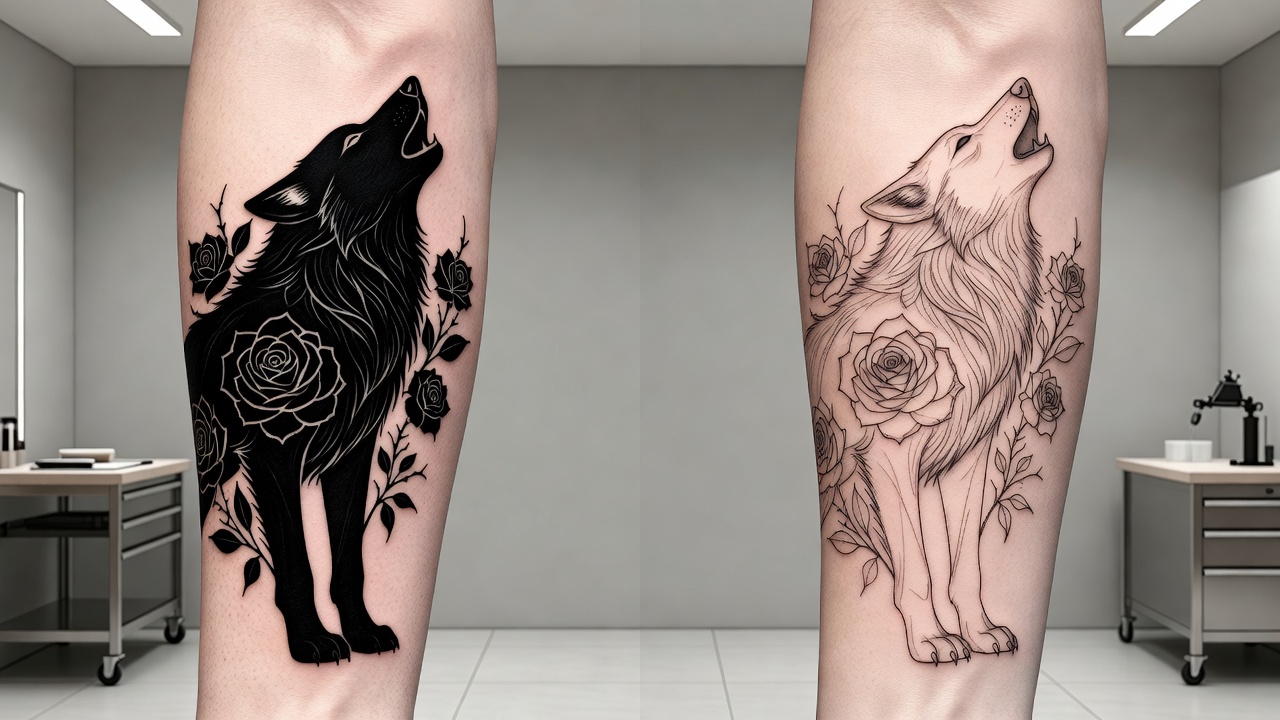
Under the hood, an AI tattoo generator renders an image from your description or reference photo, and "style" is one of the strongest levers you have over the output. Selecting fine line tells the model to favor thin, uniform strokes, minimal shading, and open negative space instead of the thick outlines and heavy black fill you would get from a blackwork or traditional prompt. The subject can be identical — a rose, a wolf, a mountain range — but the style setting changes whether the AI renders it as a bold, saturated piece or a delicate, almost sketch-like one.
In INK, you can generate the same idea from a typed prompt or an uploaded reference photo, pick fine line from the style options, and get several variations to compare. Because fine line depends so heavily on line weight and spacing rather than color or shading, small wording changes — "thin uniform linework," "minimal detail," "single continuous line" — noticeably shift the result, which is why prompting technique matters more here than for bolder styles.
Is AI Actually Good at Fine Line Tattoo Designs?
Mostly yes, with one real limitation worth knowing about upfront. AI is genuinely strong at three things that matter for fine line work: composing balanced, well-proportioned layouts; generating many variations of the same idea quickly so you can compare negative space and flow; and keeping a design light and readable rather than cluttered, which is exactly what fine line needs. It also makes it easy to test how the same subject reads at different levels of detail before you settle on one — something that used to take several rounds of sketches back and forth with an artist.
Where AI is weaker is at the very finest end of the scale — the hairline, single-needle precision an experienced fine line artist achieves by hand can be difficult to represent perfectly in a digital file, and extremely thin or closely spaced details can blur together depending on export resolution. Fine line also tends to punish overly complex prompts more than bolder styles do: ask for too many elements and the AI will often compress them into a tangle that reads as a smudge at real tattoo size, even if it looks fine zoomed in on a screen. The practical fix is simple: keep the concept simple, use the AI design as a precise creative reference and layout guide rather than a literal stencil, and let your artist translate the exact line weight for how it will actually sit and age on your skin.
It helps to compare fine line against a style AI handles more forgivingly, like blackwork. Blackwork relies on bold, solid shapes, so minor imperfections in a generated design tend to disappear once it is actually tattooed — the ink coverage hides small inconsistencies. Fine line has no such buffer; every line is visible on its own, which is exactly why prompting discipline and post-generation editing matter so much more here.
How to Prompt an AI Tattoo Generator for Fine Line Results
A few habits make the difference between a fine line prompt that comes back clean and one that comes back overworked:
- Keep the subject simple. One flower, one animal, one short phrase — fine line reads best with a single focal idea rather than a busy scene.
- Name the style directly. Say "fine line" or "single needle," and add "thin uniform linework, minimal shading, no bold outlines" to steer the AI away from bolder defaults.
- Generate multiple variations. Produce 3–5 versions before picking a favorite; fine line compositions shift a lot based on how much negative space the AI leaves.
- Edit instead of restarting. If a design is close but slightly cluttered, use an AI tattoo editor to simplify or thin specific elements rather than regenerating from zero.
- Preview at real scale. Fine detail that looks crisp full-screen can vanish once shrunk to actual tattoo size, so always check the design at the size and placement you are considering.
Fine Line Tattoo Ideas Worth Trying
Fine line style suits a specific kind of design more than others, generally because the subject is simple enough that thin lines can carry the whole composition without needing shading to fill in the gaps. Subjects that tend to work well include:
- Botanicals. A single stem, a sprig of leaves, or a small bouquet renders naturally as thin, flowing lines.
- Script and lettering. Names, dates, or short phrases in a delicate handwritten style are one of the most requested fine line subjects.
- Minimalist symbols. Small geometric shapes, single-line animals, or abstract icons stay clean and legible at tiny sizes — see our minimalist tattoo designs guide for more direction.
- Fine portrait outlines. Simplified facial or figure outlines can work in fine line, though they need careful spacing to avoid muddying at small scale.
- Constellations and linework maps. Connected dots and thin contour lines are a natural match for the style's sparse, precise aesthetic.
Previewing Fine Line Placement Before You Commit
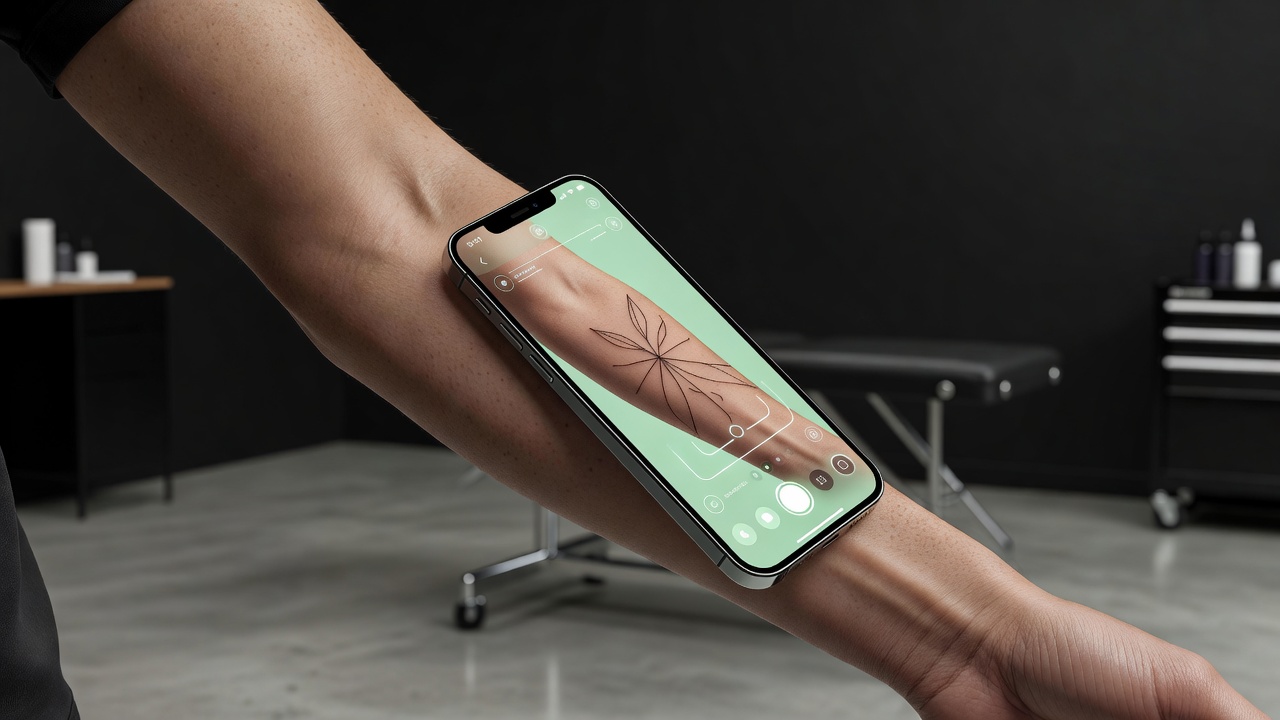
Because fine line designs are so sensitive to scale, previewing placement matters more here than for bolder styles. A design that looks balanced at full screen can feel cramped or oddly spaced once mapped onto the curve of a wrist or the flat of a forearm. Using AR try-on to place the generated design directly on your body — at the real size you are considering — lets you catch spacing or proportion issues before you are sitting in a tattoo chair.
From AI Design to a Real Fine Line Tattoo
Once you have a fine line design you are happy with, the next step is finding the right artist for it — specifically, someone who specializes in fine line or single-needle work, since the technique for keeping thin lines crisp over time differs from bolder styles. Bring a high-resolution export of your AI-generated design as a reference; a specialist will adjust exact line weight and spacing for your skin type and the tattoo's placement, and may recommend simplifying any part of the design that is too fine to hold up long-term.
It is worth asking to see healed examples of an artist's previous fine line work, not just fresh photos — a piece that looks crisp the day it is done can tell you very little about how it will look a year later. An artist who works in the style regularly will be able to tell you upfront which parts of your AI-generated design are realistic to hold their shape over time and which parts might need to be simplified or thickened slightly for longevity.
Does Fine Line Tattoo Aftercare Need Special Care?
Fine line tattoos generally follow the same core aftercare guidance as any other tattoo — keeping the area clean, moisturized, and out of direct sun during healing — but the margin for error is smaller. Because the lines start out thin, any scabbing that is picked at, excess sun exposure, or friction during healing can cause visible blurring or gaps that are far more noticeable than on a bold blackwork piece. For a full walkthrough of the healing process, see our tattoo aftercare guide. Expect fine line work to need a touch-up sooner than bolder styles — often within a few years — simply because there is less ink saturation to begin with.
The Final Word
A fine line AI tattoo generator will not replace a specialist's needle, but it will get you to a clear, well-composed design far faster than describing an idea from scratch. Keep the subject simple, name the style explicitly, generate a handful of variations, and preview the result at real scale before you bring it to an artist who can translate it into lasting, single-needle linework.
Generate Your Fine Line Tattoo Free in INK
Describe your idea, pick the fine line style, and preview the design on your body before you ink. No sign-up needed.
Try INK Free →

Create Your Perfect Tattoo Design
Use AI to generate unique tattoo designs and preview them on your body before committing to ink.
Start Designing for FreeWritten by

Laura Schmitz
Tattoo Content Lead, INK
Laura Schmitz leads tattoo content at INK. She has spent years researching tattoo styles, symbolism and aftercare, and works directly with the AI tattoo generator to test how each style translates from prompt to skin — so every guide here reflects designs that are actually tattooable, not just images that look good on screen.
More about the author